
FCaptcha v1.3: Keystroke Cadence Biometrics
FCaptcha v1.3 adds 7 biometric keystroke metrics, Playwright detection, AI agent bypass fixes, and server-side PoW validation.
bot-detectionHow FCaptcha v1.11 and v1.12 detect AI agents that drive real browsers, using CDP input forensics, think-time cadence, and declared-agent matching.
Published · Updated
For about a decade, bot detection has worked on a simple premise: find the automation flag the bot forgot to hide. Selenium leaks navigator.webdriver. Puppeteer leaves globals on the window. Headless Chrome reports a software renderer and a thin font set. You look for the tell, and the tell is there.
The newest generation of automation does not play that game. A hosted computer-use agent like OpenAI Operator or Claude in Chrome runs a genuine browser. A local agent attached over the Chrome DevTools Protocol injects input that the browser stamps as isTrusted: true. The user agent can be a stock Chrome string. There is no webdriver flag to find, because there is no WebDriver. The events look real, because at the DOM level they are real.
Two FCaptcha releases landed back to back to close this gap. v1.11.0 identifies AI agents that announce themselves, and v1.12.0 catches the ones that do not by examining the physics of their input and the rhythm of their interaction. Both are part of a broader push to detect modern AI agents, with every server-side signal shipping to the Go, Node, and Python backends in lockstep.
GitHub: github.com/WebDecoy/FCaptcha
It helps to split modern agents into classes, because each one defeats a different assumption.
| Class | Example | What it leaves behind | What it scrubs |
|---|---|---|---|
| Declared crawler or agent | ClaudeBot, GPTBot, ChatGPT-User | A self-identifying UA, often a datacenter IP, sometimes a signed request | Nothing. It is honest. |
| Hosted computer-use | OpenAI Operator, Gemini | Datacenter IP, software GPU, CDP-injected input, LLM think-time | The UA can look normal |
| Local CDP agent | Claude in Chrome via chrome.debugger, Playwright stealth | CDP attach side effects, synthetic input internals | navigator.webdriver, automation globals |
| DOM or a11y reader | LLM “read the page” tools | Reads the accessibility tree, fills hidden labeled fields | Mouse trajectory entirely |
The legacy detection core handles the bottom-left of that table well. It is the right two columns that hurt: an agent that drives real Chrome over CDP with a believable UA sails through every flag-based check. You cannot find a flag that was never set. You have to look instead at the things an agent cannot easily fake, which are the micro-physics of real input devices and the cadence of a human versus an inference loop.
That split also explains why these shipped as two releases. Declared agents and undeclared agents are different problems. One is a policy question. The other is a forensics question.
PR #9 added a new declared_ai threat category and the foundation that the v1.12 work builds on. The detection itself is short, and that is the point: declared agents are the cheapest, highest-return workstream because they tell you who they are.
There are two paths into the category.
Self-identifying user agents. FCaptcha matches a list of known agent and crawler UA tokens: ClaudeBot, Claude-User, anthropic-ai, GPTBot, ChatGPT-User, OAI-SearchBot, PerplexityBot, Google-Extended, CCBot, Bytespider, meta-externalagent, Amazonbot, cohere-ai, and more. These are word-boundary matches so a UA cannot dodge detection by burying the token in a larger string, and a real Chrome, Firefox, Safari, or mobile UA does not match any of them.
Web Bot Auth signed requests. The emerging standard for cryptographically verified agents is RFC 9421 HTTP Message Signatures. OpenAI signs agent traffic this way, and Cloudflare promotes it as the canonical verified-bot mechanism. When a request carries Signature, Signature-Input, and Signature-Agent headers together, FCaptcha identifies the agent from the signature without any heuristics at all. Version 1 detects and identifies. Verifying the signature against the agent’s published JWKS is a documented follow-up.
The category ships at high confidence and low severity by default. That combination is deliberate. Because these agents are honest, identification is close to certain, so the confidence is high. But whether you actually want to block a polite or verified agent is a business decision, not a security verdict. Plenty of site owners are happy to let ClaudeBot index their docs while still blocking undeclared automation against their login form.
So instead of a hard block, the declared-agent result is surfaced as its own low-weight category (declared_ai) that your application can read and act on.
The design document for this release also sketched a policy knob, an AIAgentPolicy with AllowDeclared, AllowVerified and BlockDatacenter switches that would short-circuit verified agents to success. That knob exists only in the PRD: it was not implemented in the shipped servers. Today the policy decision lives in your app, based on the category in the verdict. This turns a previously invisible slice of your traffic into a labeled stream you can write policy against. You stop guessing whether that traffic spike was an AI crawler and start deciding what to do about it.
Per the project convention, the same logic landed in all three backends in the same release: CheckDeclaredAIAgent in Go, checkDeclaredAIAgent in Node, and check_declared_ai_agent in Python, each wired into that server’s verification entry point. Adding the new category meant rebalancing the scoring weights, so bot dropped from 0.15 to 0.13 to make room for declared_ai at 0.02, and a new TestWeightsSumToOne test now guards the invariant that the weight map sums to 1.0 going forward.
If you run AI crawlers past your edge today, the related read here is our guide to detecting AI scrapers like GPTBot, ClaudeBot, and Perplexity, which covers the policy side of declared traffic in more depth.
This is the headline release, and the harder problem. PR #10 targets agents that drive a real browser through CDP-injected input, the kind that reports isTrusted: true and slips past the global-based CDP check entirely. The new client signals live in behavioral.inputForensics and environmental.cdpRuntime, and they feed server detections across Go, Node, and Python. Crucially, every threshold lives server-side. The client ships only raw aggregates, so operators can retune detection without redeploying client code, and a bot reading the client bundle learns nothing about where the lines are drawn.
Here is each signal and the reasoning behind it.
Real pointer movement on real hardware generates more samples than the screen can paint. The browser batches the extra samples and exposes them through pointermove.getCoalescedEvents(). Move a real mouse and you get multi-entry batches several samples deep per frame. CDP-injected moves do not come from hardware, so they produce single-entry batches, or none at all.
// Conceptual: the shape of what behavioral.inputForensics tracks.
// Thresholds are evaluated server-side, not here.
window.addEventListener('pointermove', (e) => {
  if (typeof e.getCoalescedEvents !== 'function') return;
  const batch = e.getCoalescedEvents();
  stats.coalescedSamples++;
  stats.coalescedMax = Math.max(stats.coalescedMax, batch.length);
  if (batch.length <= 1) stats.coalescedEmpty++;
  stats.coalescedTotal += batch.length;
}, { passive: true });
FCaptcha reports coalescedSamples, coalescedMax, coalescedEmptyRatio, and coalescedAvg. The server-side detectCDP check fires only when there are enough samples to be confident and the batches are consistently empty, with the shipped threshold requiring at least 20 samples and a maximum batch size no greater than 1. A real mouse essentially never satisfies that. Synthetic input almost always does.
On a real device, movementX and movementY track the actual change in clientX and clientY between two moves. The deltas agree because they describe the same physical motion. Synthetic input frequently breaks that coupling: the position changes while movementX and movementY read zero, or the reverse. FCaptcha measures pointerMoveZeroRatio, the fraction of position-changing moves where the movement deltas are zero, and detectCDP flags it conservatively when the ratio is high across enough samples.
There is a nice detail in this signal that shows the false-positive discipline behind it. The original draft also checked pressure constancy, on the theory that synthetic input reports a constant pressure value. That sub-signal was dropped before shipping, because a real mouse hovering without a button held down reports pressure === 0 on every single move, which would false-positive on every mouse user alive. Movement coherence stayed. Constant pressure did not. Detection is only as good as the things it refuses to flag.
Some agents scrub their JS globals so thoroughly that there is nothing left on the window to find. They cannot, however, fully hide the side effects of having a protocol client attached. When a CDP Runtime or DevTools console is connected, the host serializes objects you log to it, which means it reads their properties. You can bait that behavior:
// Define an Error whose property has a getter, log it, and see if the
// getter fires. With no protocol consumer attached, it never runs.
let triggered = false;
const bait = new Error();
Object.defineProperty(bait, 'stack', {
  configurable: true,
  get() { triggered = true; return ''; },
});
console.debug(bait);
// triggered === true  =>  environmental.cdpRuntime.consoleAttached
This catches Playwright, Puppeteer-stealth, and chrome.debugger extensions even when their globals are gone. The honest caveat is that a human with DevTools open trips the same trap, so this is treated as a contributing signal rather than a verdict on its own. It ships at low confidence, and a real user with DevTools open still produces coalesced pointer events and noisy think-time, which the other signals see. For the local-agent angle specifically, see our breakdown of detecting AI browser extensions like Claude in Chrome and ChatGPT.
The single most distinctive thing about an autonomous agent is its loop. It acts, takes a screenshot, runs inference for a second or several, then acts again. The giveaway is the silence in the middle. Humans idle noisily. Even when we are reading or thinking, we produce micro-movements, small scrolls, focus churn, the occasional stray pointer twitch. Agents idle perfectly. Nothing happens between bursts, for seconds at a time, over and over.
FCaptcha builds a cross-input timeline of the gaps between every mouse, key, scroll, and focus event, then summarizes it with cadenceEvents, cadenceSilentGaps, cadenceGapCV, and cadenceSilentRatio. A silent gap is dead air longer than about 1.5 seconds. The coefficient of variation captures the signature shape of an agent loop, tight bursts of activity followed by long perfect silence, which produces a high CV that human interaction rarely matches. The detectVisionAI check fires when the timeline shows multiple multi-second silences dominating an otherwise active session. Keyboard-only users are exempt, since deliberate tab-and-enter navigation can look sparse.
This extends the timing approach we first wrote about in detecting vision-based AI agents like Operator and Computer Use, now wired directly into the live detection pipeline rather than measured after the fact.
A real click has an approach. The pointer travels toward the target, decelerates, and lands. An injected click teleports: a mousedown appears at coordinates more than 150 pixels from the last observed pointer position, with no movement in between. FCaptcha counts these as teleportClicks, and detectVisionAI treats even one as a strong signal. Touch users are exempt, because taps legitimately produce no pointer trajectory.
Playwright’s fill() and direct element.value = assignment both insert text into a field with no keydown events and no paste. A human cannot do that. FCaptcha’s AnalyzeFormInteraction flags a textarea whose content materialized with zero keystrokes and zero pastes. This complements the keystroke-cadence biometrics from earlier releases: cadence analysis catches bots that type with fake rhythm, while this catches bots that do not type at all. We go deeper on this class of attack in how we detect AI-generated form submissions.
This phase carries more false-positive risk than the declared-agent work, which is exactly the kind of honesty that should govern how aggressively a signal is allowed to act. The mitigations are layered:
inputForensics block, so the new checks simply do not fire on them. The full Go suite and go vet are green, with TestDetectCDP_InputForensics, TestDetectVisionAI_InputForensics, and TestAnalyzeFormInteraction_ProgrammaticFill covering the positive, human-like negative, and touch-exempt cases. The Node and Python detectors were verified the same way.Put side by side, the two releases cover the honest and the evasive ends of the modern agent spectrum.
| Agent class | Example | How FCaptcha catches it now |
|---|---|---|
| Declared crawler or agent | GPTBot, ClaudeBot | UA match or Web Bot Auth, surfaced to policy (v1.11) |
| Hosted computer-use | OpenAI Operator | Coalesced absence, think-time cadence, teleport clicks (v1.12) |
| Local CDP agent | Claude in Chrome, Playwright stealth | CDP console attach, movement incoherence, programmatic fill (v1.12) |
A declared agent gets identified and handed to your policy. An undeclared agent driving a real browser gets caught by the parts of real interaction it cannot reproduce. Neither approach depends on the agent forgetting to hide a flag, which is the entire reason both were needed.
FCaptcha is fully open source and self-hosted. No external dependencies, no data sharing, and the same detection pipeline in every backend.
<div id="captcha"></div>
<script src="/fcaptcha.js"></script>
<script>
  FCaptcha.render('captcha', {
    siteKey: 'your-site-key',
    callback: (token) => {
      fetch('/api/verify', {
        method: 'POST',
        body: JSON.stringify({ token })
      });
    }
  });
</script>
Pick the backend that fits your stack. The Go server in server-go/ is built for high-throughput production, the Python server in server-python/ is easy to customize, and the Node server in server-node/ slots into the JavaScript ecosystem. All three run the full pipeline, which now includes declared-agent detection, CDP input forensics, and think-time cadence alongside the existing behavioral scoring, environmental analysis, proof-of-work verification, and keystroke biometrics.
If you are upgrading, move to v1.12.0 to pick up everything described here. You can see it working on the interactive demo, or read the previous detection milestone in FCaptcha v1.3: keystroke cadence and Playwright detection.
The arms race moved. Bots stopped leaving flags and started driving real browsers, so detection had to stop hunting for flags and start reading the physics. That is what these two releases do. Follow along on GitHub or run FCaptcha on your own infrastructure.
FCaptcha v1.3 adds 7 biometric keystroke metrics, Playwright detection, AI agent bypass fixes, and server-side PoW validation.
bot-detection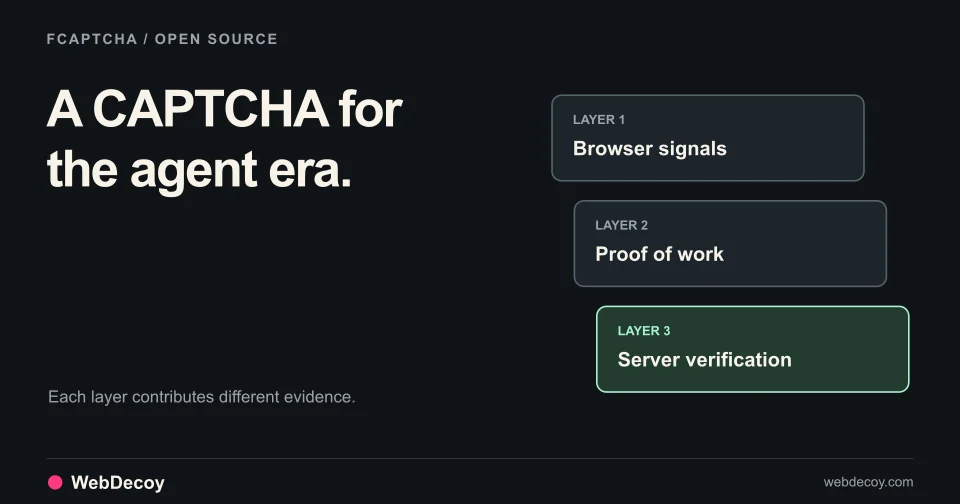
Open source CAPTCHA with 40+ behavioral signals, proof of work, and vision AI detection. Self-hosted servers in Go, Python, Node.js.
bot-detection
Most of FCaptcha v1.28–v1.34 protects the visitor who did nothing wrong: expired tabs, sparse mouse traces, invisible mode. Plus one breaking change.
bot-detectionLike this post? Share it with your friends!
Get a personalized demo from our team.