WooCommerce bots rarely announce themselves. They browse products, create accounts, add low-cost items to a cart, apply coupons, and submit checkout forms through the same routes as paying customers. By the time a payment gateway declines the twentieth stolen card, the bot has already exercised your store, consumed resources, and learned how your checkout responds.

Effective WooCommerce bot protection starts earlier. It evaluates the complete journey from first request to payment attempt, connects activity across changing IP addresses, and adds friction only when the evidence justifies it.

This guide explains the abuse patterns WooCommerce stores face, the signals that separate automation from customers, and a practical rollout that protects revenue without turning checkout into an obstacle course.

What WooCommerce Bots Actually Do

“Bad bot” is too broad to be operationally useful. Different automation creates different evidence and requires different controls.

Card testing and carding

Carding bots submit stolen payment credentials to learn which cards are still valid. They often use inexpensive products, guest checkout, rotating residential proxies, and many customer identities. The merchant may see a sequence of declined transactions followed by a few approvals and later chargebacks.

A payment gateway can reject an individual transaction, but it may not know that the same automated actor tested twelve cards through eight IP addresses and four accounts. That continuity has to come from the storefront and application layers.

For a deeper explanation of the fraud workflow, see Carding Attacks Explained.

Fake orders and cash-on-delivery abuse

Not every fake order contains a stolen card. Bots can create unpaid orders, select cash on delivery, reserve scarce stock, trigger fulfillment workflows, or flood staff with orders using fabricated customer data. Even when no payment succeeds, the operational cost is real.

The useful signals here are order velocity, repeated address or phone patterns, device continuity, disposable identities, and navigation behavior before checkout.

Credential stuffing

An attacker replays email-and-password pairs from unrelated breaches against /my-account/. A successful login exposes saved addresses, order history, loyalty balances, and sometimes stored payment methods or account credit.

IP blocking performs poorly because credential-stuffing tools distribute attempts across proxies. Detection needs to correlate login failures, browser fingerprints, interaction timing, and account switching. Our credential-stuffing detection guide covers that attack path in detail.

Inventory hoarding

Bots add limited products to carts or create orders to make inventory unavailable to real buyers. The attack can be commercial, such as securing scarce items for resale, or purely disruptive.

Controls should distinguish a fast legitimate purchase from repeated reservations across related sessions. Useful context includes cart creation velocity, quantity changes, checkout abandonment, device identity, and whether multiple accounts converge on the same shipping destination.

Coupon, gift-card, and loyalty abuse

Automation can enumerate coupon codes, test gift-card balances, create accounts for new-customer discounts, or farm loyalty rewards. These campaigns may operate slowly enough to stay below simple per-IP thresholds.

Treat coupon validation, gift-card lookup, registration, login, cart updates, and checkout as one connected abuse surface rather than isolated endpoints.

Scraping and price monitoring

Some crawlers never submit an order. They extract prices, inventory, descriptions, reviews, or availability at a scale that raises infrastructure costs or feeds a competitor. Scraping requires different policy decisions from payment fraud: you may allow verified search crawlers, rate-limit commercial crawlers, and block deceptive automation.

Why Common WooCommerce Defenses Fail

Most stores accumulate several defensive plugins and gateway settings. Each can help, but none sees the whole actor.

IP rate limits lose continuity

An IP address is a network location, not a person or device. Mobile networks, offices, schools, VPNs, and carrier-grade NAT place many customers behind one address. Residential proxy services do the reverse by giving one attacker thousands of addresses.

Use IP velocity as one signal. Do not make it the identity key for checkout enforcement.

A CAPTCHA is a response, not a verdict

A visible challenge can reduce basic form spam, but sophisticated operators route challenges to solving services or run real browsers. Showing every shopper a CAPTCHA also taxes legitimate users at the most valuable point in the funnel.

A better sequence is:

  1. Observe the session silently.
  2. Combine weak signals into a risk assessment.
  3. Challenge only uncertain, elevated-risk sessions.
  4. Block when high-confidence evidence exists.

The distinction matters: detection decides who deserves friction; CAPTCHA is only one form that friction can take.

Payment fraud tools act late

Gateway fraud scoring is essential, but it evaluates a transaction after the bot reaches payment. Storefront detection can identify automation during product discovery, account creation, cart building, or form completion and prevent a risky session from generating another authorization attempt.

These systems should share signals rather than replace one another. Gateway results, especially repeated declines, should feed the actor’s application-level risk score.

User-agent allowlists are easy to spoof

Blocking unknown user agents while allowing strings such as Googlebot creates an impersonation gap. Any script can copy a name. Legitimate crawler access should be verified using published network ranges and forward-confirmed reverse DNS, with cryptographic verification as Web Bot Auth adoption grows.

Signals That Work at WooCommerce Checkout

No single browser test reliably separates every bot from every human. Durable protection comes from corroboration across independent layers.

1. Request and protocol consistency

Inspect whether the request behaves like the browser it claims to be:

  • Expected navigation and fetch headers
  • Cookie and session continuity
  • TLS and HTTP fingerprints
  • Header combinations inconsistent with the claimed browser
  • Direct requests to checkout endpoints without the preceding storefront flow
  • Replayed nonces or stale checkout tokens

A mismatch is evidence, not an automatic conviction. Privacy tools and unusual clients exist, so combine protocol anomalies with other signals.

2. Browser and automation evidence

Browser-side analysis can identify headless defaults, automation framework artifacts, tampered APIs, implausible rendering environments, and inconsistencies between JavaScript and server-observed fingerprints.

Modern Playwright and Puppeteer deployments patch obvious flags, so a single navigator.webdriver check is not sufficient. Look for groups of inconsistencies and retain enough evidence to explain the resulting action.

3. Checkout behavior

Human checkout has natural variability. Bots optimize for repeatability and throughput. Useful measurements include:

  • Time from product view to cart and checkout
  • Field focus and fill order
  • Inter-keystroke timing and paste behavior
  • Mouse, touch, and scroll activity
  • Repeated correction of the same field
  • Direct POST requests without corresponding interaction evidence
  • Identical timing across many sessions

Fast does not automatically mean fraudulent. Password managers, browser autofill, returning customers, and accessible input methods can all complete forms quickly. Behavioral signals should change confidence, not become brittle rules.

4. Actor-level velocity

Count activity across more than IP addresses:

  • Cards attempted per device or session
  • Accounts accessed per browser identity
  • Payment declines across related fingerprints
  • Shipping addresses reused across accounts
  • Coupons tested per actor
  • Orders created and abandoned
  • IP, ASN, country, and device changes within one session

This is where an actor identity that survives proxy rotation becomes more useful than a conventional address-based blocklist.

5. High-confidence tripwires

Decoy fields, links, and endpoints create actions that normal shoppers never perform. A hidden form field populated by a generic form filler or a never-linked checkout endpoint requested by an enumerator is much stronger evidence than a missing header.

Tripwires should remain inert for customers and assistive technology. Do not hide real controls or rely on visual invisibility alone. Design decoys so legitimate navigation cannot reach them, then treat interaction as evidence with a clear audit trail. See our practical honeypot guide for implementation patterns.

6. Payment and order outcomes

Feed WooCommerce and gateway events back into detection:

  • Decline reason categories
  • Authorization and verification failures
  • Rapid changes in payment instrument
  • Repeated low-value baskets
  • Mismatches among account, billing, shipping, and network geography
  • Refund, dispute, and chargeback history

Avoid exposing detailed decline reasons to the client. Uniform public responses make it harder for a carding bot to classify a card while preserving precise diagnostic data internally.

A Conversion-Safe Protection Architecture

The goal is not maximum blocking. It is to stop automated abuse while keeping the expected customer journey boring.

LayerWhat it seesRecommended default
Edge/CDNRequest floods, network reputation, protocol fingerprintsRate-limit obvious floods; pass context downstream
WordPressLogin, registration, forms, paths, cookies, sessionsScore requests and record evidence
BrowserAutomation and interaction signalsObserve silently; challenge elevated risk
WooCommerceCart, coupon, account, checkout, order velocityCorrelate events by actor, not IP alone
Payment gatewayCard and transaction riskAuthorize, decline, or require payment verification
EnforcementCombined evidence from every layerMonitor first; block only at defined confidence

This layered design catches non-JavaScript clients at the edge, browser automation in the page, and business-logic abuse inside WooCommerce.

How to Roll Out WooCommerce Bot Protection

Step 1: Measure before blocking

Start in monitor mode. Record detections, payment declines, checkout abandonment, account failures, and order outcomes without changing the customer experience.

Create a baseline for at least one normal business cycle. Include campaign traffic, sales, product launches, and geographic differences if they materially affect behavior.

Step 2: Protect the complete purchase path

Instrument more than /checkout/. Include:

  • Product and search pages
  • Cart and cart-fragment requests
  • Account registration and login
  • Coupon and gift-card validation
  • Checkout updates
  • Payment initiation callbacks
  • Order confirmation and account endpoints

Bots frequently reveal themselves before the payment step. Observing only the final POST discards the most useful context.

Step 3: Establish actor continuity

Combine a first-party session identifier with server-side observations and browser or protocol fingerprints. Bind sensitive operations to the session, rotate tokens appropriately, and reject replay.

Do not create an invasive tracking system. Retain the minimum data needed for security, document its purpose, and set deletion periods appropriate to your business and legal obligations.

Step 4: Define graduated actions

A practical policy might look like this:

  • Low risk: allow and log.
  • Moderate risk: tighten velocity limits or require fresh session proof.
  • Elevated risk: use proof-of-work, managed CAPTCHA, or payment verification.
  • High confidence: block the checkout action and preserve evidence.
  • Confirmed abuse: expire the actor’s clearance and enforce across related sessions.

Keep irreversible actions behind stronger evidence than reversible challenges.

Step 5: Verify legitimate crawlers separately

Search crawlers do not need to add products to carts, but they do need reliable access to public catalog pages. Verify crawler identity and apply route-scoped permissions. A verified Googlebot may crawl product pages; it should not receive blanket permission to submit checkout requests.

Step 6: Test legitimate edge cases

Before enforcement, test:

  • Guest and authenticated checkout
  • Browser autofill and password managers
  • Mobile wallets and express checkout
  • Screen readers and keyboard-only navigation
  • VPN and corporate-network customers
  • Customers retrying after a genuine decline
  • Webhooks and payment-provider callbacks
  • Caching, CDN, and optimization plugins

False positives often come from a correct-looking rule applied without enough route or customer context.

Step 7: Review outcomes, not only detections

Track whether protection reduces abuse without harming customers:

  • Payment attempts per completed order
  • Declines per actor and per customer cohort
  • Fake or unpaid orders
  • Chargebacks and disputes
  • Checkout conversion
  • Challenge rate and completion rate
  • Support contacts associated with blocking
  • Verified false positives

An increase in blocks is not inherently a success. The desired outcome is less fraud and operational waste with stable or improved conversion.

Installing WebDecoy on WooCommerce

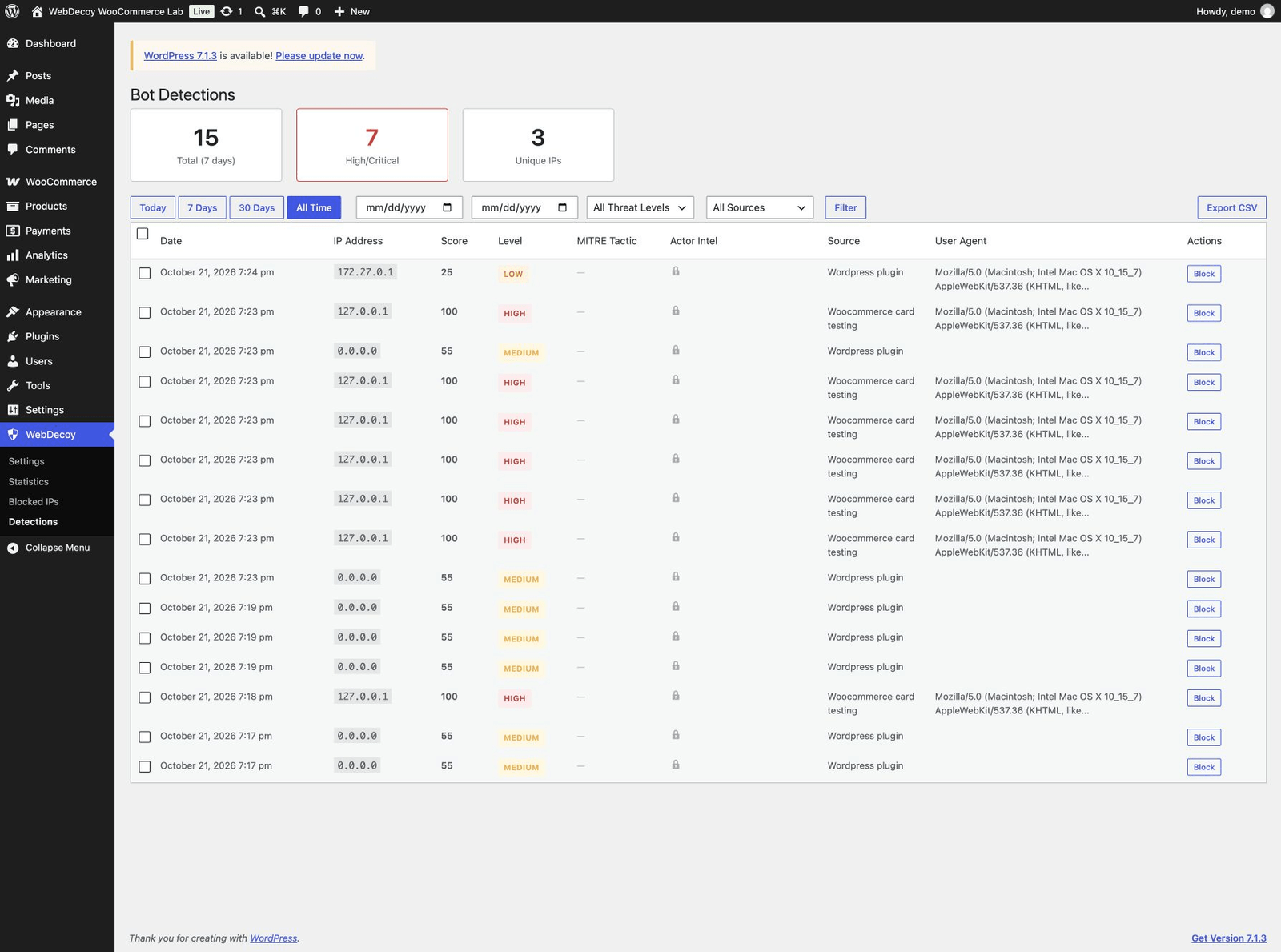
WebDecoy’s WordPress bot protection plugin adds server-side request analysis, browser and behavioral signals, proof-of-work, and centralized detection reporting to WordPress and WooCommerce.

A basic rollout is:

  1. Install the WebDecoy plugin from WordPress.org.
  2. Connect the site to your WebDecoy account.
  3. Enable protection for login, registration, forms, and WooCommerce checkout.
  4. Begin in monitoring mode and review detected actors.
  5. Set challenge and enforcement thresholds using your observed traffic.
  6. Connect response actions and alerts required by your team.

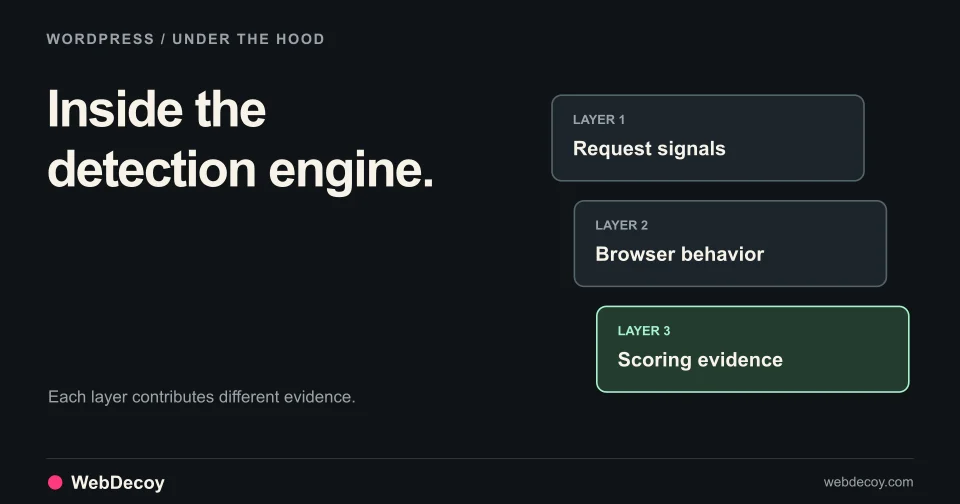
The technical architecture is documented in How Our WordPress Plugin Detects Bots. You can also compare WebDecoy plans before enabling enforcement.

WooCommerce Bot Protection Checklist

  • Observe product, cart, account, coupon, checkout, and payment routes
  • Correlate activity beyond IP addresses
  • Keep gateway fraud controls enabled
  • Feed payment declines back into actor risk
  • Use challenges selectively rather than site-wide
  • Add high-confidence decoys that customers cannot reach
  • Verify search crawlers instead of trusting user-agent strings
  • Use route-scoped, graduated enforcement
  • Test autofill, accessibility, wallets, VPNs, and payment callbacks
  • Measure conversion, declines, fake orders, and false positives

Conclusion

WooCommerce bot protection is a business-logic problem, not a plugin checkbox. Carders, credential stuffers, inventory hoarders, and coupon abusers all use legitimate store functions in illegitimate sequences. Stopping them requires continuity across the journey and evidence from the edge, browser, WordPress, WooCommerce, and payment provider.

Start by observing. Correlate actors instead of chasing IP addresses. Challenge uncertainty, block high-confidence automation, and keep real customers moving through checkout.

Protect your WooCommerce store with WebDecoy or review the available bot detection plans.

Frequently Asked Questions

How do I stop bots from placing fake WooCommerce orders? +

Protect the entire path to checkout, not only the payment request. Combine server-side request analysis, browser and behavioral signals, proof-of-work or managed challenges, checkout velocity controls, and payment-provider fraud rules. Start in monitor mode so you can tune enforcement without blocking legitimate customers.

How can I stop card testing on WooCommerce? +

Detect repeated checkout attempts across cards, accounts, sessions, devices, and network ranges; challenge suspicious sessions before payment; require stronger verification after declines; and keep payment responses uniform so bots cannot easily classify valid cards. IP-only rate limits are insufficient because carding bots rotate residential proxies.

Will WooCommerce bot protection hurt checkout conversion? +

It can if every customer receives a visible CAPTCHA or rigid IP rate limit. A risk-based approach observes normal shoppers silently, challenges only suspicious sessions, and reserves blocking for high-confidence evidence such as decoy interaction, automation markers, or repeated payment abuse.

Does Cloudflare alone stop WooCommerce checkout bots? +

Cloudflare can filter abusive traffic at the edge, but checkout decisions also require application context such as cart history, form behavior, login attempts, payment declines, and order velocity. The strongest setup combines edge controls with WordPress and WooCommerce-aware detection.

Can WooCommerce bots bypass CAPTCHA? +

Yes. Attackers use CAPTCHA-solving services, browser automation, human-assisted solving, and residential proxies. CAPTCHA is one possible response, not a complete detection strategy. Behavioral evidence, device continuity, decoys, proof-of-work, and server-side payment signals make bypasses more expensive and easier to identify.

Want to see WebDecoy in action?

Get a personalized demo from our team.

Request Demo