
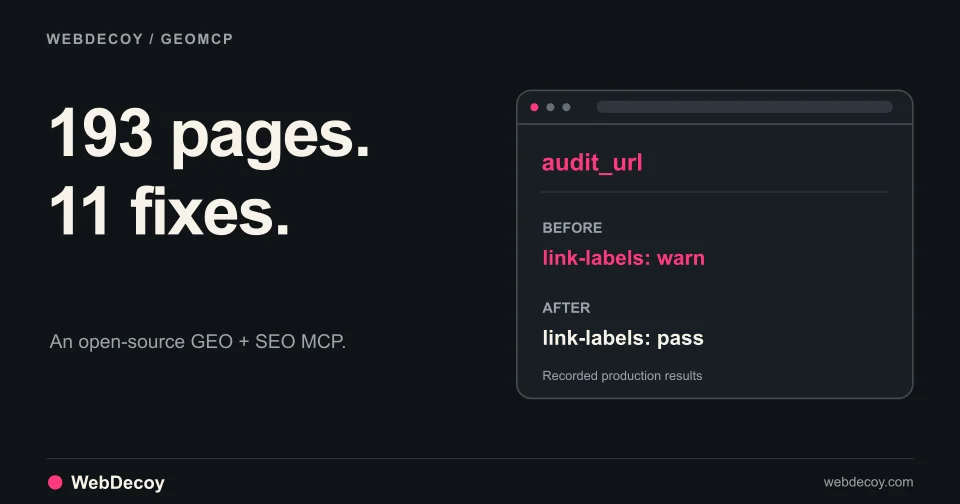
We Audited 193 Pages with Our Open-Source GEO MCP
GEOMCP found 11 small issues across our site. Here are the real findings, the fixes, and how we verified them through an MCP client.
tutorialCatch bots without CAPTCHAs. Complete guide to invisible honeypot forms, buttons, and endpoints with React, Vue, and vanilla JS examples.
Published · Updated
Every CAPTCHA you show is a tax on your conversion rate.
Studies show that CAPTCHAs cause 20-40% form abandonment. Meanwhile, AI can now solve image challenges with 90%+ accuracy. You’re frustrating real users while sophisticated bots waltz right through.
What if you could catch most unsophisticated bots without your real users ever seeing a challenge?
That’s exactly what honeypots do. They’re invisible traps that exploit fundamental differences in how bots and humans interact with web pages. Bots fall in. Humans never know they exist.
This guide gives you production-ready code to implement three types of honeypot traps:
Includes examples for React, Vue, Next.js, SvelteKit, and vanilla JavaScript.
Bots and humans interact with web pages in fundamentally different ways.
What a human sees: A clean contact form with Name, Email, Message fields and a Send button. No friction. No CAPTCHA.
What a bot sees in the DOM: The same form, plus hidden fields named “website” and “phone”, plus a hidden submit button. The bot fills everything, and instantly reveals itself.
| Behavior | Human | Bot |
|---|---|---|
| Hidden fields | Can’t see → Won’t fill | Parses DOM → Fills everything |
| Invisible buttons | Can’t click what’s invisible | Clicks all interactive elements |
| Non-existent API endpoints | Never requests them | Probes systematically |
| Form completion time | 5-60 seconds | < 2 seconds |
| Field focus events | Multiple focus/blur cycles | Zero or one |
| Mouse movement | Natural, curved paths | None or perfectly linear |
When a bot triggers any of these traps, you know with 100% certainty it’s not human. Zero false positives. Zero user friction.
The most common and effective honeypot technique: invisible form fields that bots fill automatically.
<form id="contact-form" action="/api/contact" method="POST">
  <!-- Real fields users see and fill -->
  <div class="form-group">
    <label for="name">Name</label>
    <input type="text" id="name" name="name" required>
  </div>

  <div class="form-group">
    <label for="email">Email</label>
    <input type="email" id="email" name="email" required>
  </div>

  <div class="form-group">
    <label for="message">Message</label>
    <textarea id="message" name="message" required></textarea>
  </div>

  <!-- ═══════════════════════════════════════════════════════════
       HONEYPOT FIELD - Invisible to humans, irresistible to bots
       ═══════════════════════════════════════════════════════════ -->
  <div style="position: absolute; left: -9999px;" aria-hidden="true">
    <label for="website">Website</label>
    <input type="text"
           id="website"
           name="website"
           tabindex="-1"
           autocomplete="off">
  </div>

  <button type="submit">Send Message</button>
</form>
Why each attribute matters:
| Attribute | Purpose |
|---|---|
position: absolute; left: -9999px | Moves field off-screen (invisible to humans) |
aria-hidden="true" | Hides from screen readers (accessibility) |
tabindex="-1" | Prevents keyboard Tab navigation |
autocomplete="off" | Prevents browser autofill false positives |
The frontend trap is just half the solution. You must validate server-side.
Node.js/Express:
app.post('/api/contact', (req, res) => {
  const { name, email, message, website } = req.body;

  // ══════════════════════════════════════════════════════════════
  // HONEYPOT CHECK: If hidden field has any value, it's a bot
  // ══════════════════════════════════════════════════════════════
  if (website && website.trim() !== '') {
    console.log('[HONEYPOT] Bot detected:', {
      ip: req.ip,
      userAgent: req.headers['user-agent'],
      honeypotValue: website,
      timestamp: new Date().toISOString()
    });

    // CRITICAL: Return fake success - never reveal the trap
    return res.json({
      success: true,
      message: 'Thank you for your message!'
    });
  }

  // Legitimate submission - process normally
  await processContactForm({ name, email, message });
  res.json({ success: true, message: 'Message sent!' });
});
Python/Flask:
@app.route('/api/contact', methods=['POST'])
def contact():
    honeypot = request.form.get('website', '').strip()

    # HONEYPOT CHECK
    if honeypot:
        app.logger.warning(f"[HONEYPOT] Bot detected: IP={request.remote_addr}")
        # Fake success - never reveal detection
        return jsonify({'success': True, 'message': 'Thank you!'})

    # Process legitimate form
    send_contact_email(request.form)
    return jsonify({'success': True, 'message': 'Message sent!'})
PHP:
<?php
if ($_SERVER['REQUEST_METHOD'] === 'POST') {
    $honeypot = trim($_POST['website'] ?? '');

    // HONEYPOT CHECK
    if (!empty($honeypot)) {
        error_log("[HONEYPOT] Bot detected - IP: " . $_SERVER['REMOTE_ADDR']);
        // Fake success response
        echo json_encode(['success' => true, 'message' => 'Thank you!']);
        exit;
    }

    // Process legitimate form
    process_contact_form($_POST);
    echo json_encode(['success' => true]);
}
💡 Pro Tip: Always return a fake success response to bots. If you return an error, sophisticated bots will learn to skip the honeypot field.
Sophisticated bots may learn to skip fields named “website.” Use multiple fields with names that attract different types of attackers:
<!-- Attracts generic form bots -->
<input type="text" name="website"
       style="position:absolute;left:-9999px;"
       tabindex="-1" autocomplete="off">

<!-- Attracts data scrapers -->
<input type="text" name="ssn"
       style="position:absolute;left:-9999px;"
       tabindex="-1" autocomplete="off">

<!-- Attracts carders and payment fraudsters -->
<input type="text" name="credit_card"
       style="position:absolute;left:-9999px;"
       tabindex="-1" autocomplete="off">

<!-- Attracts account takeover bots -->
<input type="text" name="security_answer"
       style="position:absolute;left:-9999px;"
       tabindex="-1" autocomplete="off">
Server validation for multiple honeypots:
const HONEYPOT_FIELDS = ['website', 'ssn', 'credit_card', 'security_answer'];

app.post('/api/signup', (req, res) => {
  // Check ALL honeypot fields
  for (const field of HONEYPOT_FIELDS) {
    if (req.body[field]?.trim()) {
      logBotAttempt(req, field, req.body[field]);
      return res.json({ success: true }); // Fake success
    }
  }

  // Process legitimate signup
  createUser(req.body);
  res.json({ success: true });
});Button honeypots catch bots that programmatically click every interactive element.
Add an invisible submit button before the real one in the DOM:
<form id="login-form">
  <input type="text" name="username" placeholder="Username">
  <input type="password" name="password" placeholder="Password">

  <!-- ═══════════════════════════════════════════════════════════
       HONEYPOT BUTTON - First in DOM, invisible to humans
       ═══════════════════════════════════════════════════════════ -->
  <button type="submit"
          name="action"
          value="honeypot-submit"
          style="position:absolute;left:-9999px;opacity:0;pointer-events:none;"
          tabindex="-1"
          aria-hidden="true">
    Submit
  </button>

  <!-- REAL BUTTON - Users click this -->
  <button type="submit" name="action" value="real-submit">
    Log In
  </button>
</form>
Server validation:
app.post('/api/login', (req, res) => {
  // Check which button was clicked
  if (req.body.action === 'honeypot-submit') {
    console.log('[HONEYPOT] Bot clicked hidden submit button');
    return res.json({ success: true }); // Fake success
  }

  // Real login attempt
  authenticateUser(req.body.username, req.body.password);
});Create hidden links that only bots discover when parsing the DOM:
<div class="content-wrapper">
  <h1>Welcome to Our Site</h1>
  <p>Content here...</p>

  <!-- HONEYPOT LINK - Hidden in DOM, bots will crawl it -->
  <a href="/trap/admin-panel"
     style="position:absolute;left:-9999px;font-size:0;"
     tabindex="-1"
     aria-hidden="true">
    Admin Panel
  </a>

  <a href="/real-page">Learn More</a>
</div>
Any request to /trap/admin-panel is guaranteed to be a bot or attacker.
Endpoint honeypots are fake API routes that attract vulnerability scanners and attackers.
Attackers systematically probe for common endpoints:
/api/admin/login, Admin panel hunting/api/v1/users, Data enumeration/.env, Configuration file exposure/wp-admin, WordPress vulnerabilities/.git/config, Source code exposureCreate honeypot endpoints at these paths. Any request = instant attacker identification.
const HONEYPOT_PATHS = [
  '/api/admin/login',
  '/api/v1/authenticate',
  '/api/admin/users',
  '/api/config',
  '/api/backup',
  '/api/debug',
  '/.env',
  '/.git/config',
  '/wp-admin',
  '/phpmyadmin',
];

function honeypotMiddleware(req, res, next) {
  const path = req.path.toLowerCase();

  if (HONEYPOT_PATHS.some(hp => path.includes(hp))) {
    // ══════════════════════════════════════════════════════════
    // ATTACKER DETECTED - Log everything for threat intel
    // ══════════════════════════════════════════════════════════
    logAttackAttempt({
      ip: req.ip,
      path: req.path,
      method: req.method,
      headers: req.headers,
      body: req.body,
      timestamp: new Date().toISOString()
    });

    // Add delay to waste attacker resources
    const delay = Math.random() * 2000 + 500;
    setTimeout(() => {
      // Return realistic-looking response
      res.status(401).json({
        error: 'Invalid credentials',
        message: 'Please check your username and password'
      });
    }, delay);
    return;
  }

  next();
}

app.use(honeypotMiddleware);
💡 Pro Tip: The random delay serves two purposes: (1) wastes attacker time and resources, (2) makes the endpoint feel more “real” since instant responses can signal a trap.
Analyze honeypot requests to identify attack types:
const ATTACK_PATTERNS = {
  sql_injection: [
    /union\s+select/i,
    /or\s+1\s*=\s*1/i,
    /'\s*or\s*'/i,
    /--/,
  ],
  xss: [
    /<script/i,
    /javascript:/i,
    /on\w+\s*=/i,
  ],
  path_traversal: [
    /\.\.\//,
    /\.\.%2f/i,
  ],
};

function detectAttackType(payload) {
  const payloadStr = JSON.stringify(payload).toLowerCase();

  for (const [attackType, patterns] of Object.entries(ATTACK_PATTERNS)) {
    if (patterns.some(p => p.test(payloadStr))) {
      return { type: attackType, severity: 'critical' };
    }
  }
  return { type: 'probe', severity: 'medium' };
}Real-world applications use React, Vue, and other frameworks. Here’s how to build reusable honeypot components.
// components/Honeypot.jsx
import { useRef, useEffect } from 'react';

/**
 * Invisible honeypot field that catches bots
 * @param {string} name - Field name (use something bots find attractive)
 */
export function Honeypot({ name = 'website' }) {
  const inputRef = useRef(null);

  // Extra protection: clear if somehow filled by autofill
  useEffect(() => {
    if (inputRef.current) {
      inputRef.current.value = '';
    }
  }, []);

  return (
    <div
      style={{
        position: 'absolute',
        left: '-9999px',
        top: '-9999px',
        width: '1px',
        height: '1px',
        overflow: 'hidden'
      }}
      aria-hidden="true"
    >
      <label htmlFor={`hp_${name}`}>
        Leave empty
      </label>
      <input
        ref={inputRef}
        type="text"
        id={`hp_${name}`}
        name={name}
        tabIndex={-1}
        autoComplete="off"
        autoCorrect="off"
        autoCapitalize="off"
      />
    </div>
  );
}

// Usage in a form:
function ContactForm() {
  const handleSubmit = async (e) => {
    e.preventDefault();
    const formData = new FormData(e.target);

    // Client-side honeypot check (server must also validate!)
    if (formData.get('website')) {
      console.log('Bot detected client-side');
      // Show fake success
      return;
    }

    await fetch('/api/contact', {
      method: 'POST',
      body: formData
    });
  };

  return (
    <form onSubmit={handleSubmit}>
      <input name="email" type="email" required />
      <textarea name="message" required />

      {/* Honeypot - invisible to users */}
      <Honeypot name="website" />
      <Honeypot name="phone_verify" />

      <button type="submit">Send</button>
    </form>
  );
}<!-- components/Honeypot.vue -->
<template>
<div
class="honeypot-container"
aria-hidden="true"
>
<label :for="`hp_${name}`">Leave empty</label>
<input
ref="inputRef"
type="text"
:id="`hp_${name}`"
:name="name"
tabindex="-1"
autocomplete="off"
/>
</div>
</template>
<script setup>
import { ref, onMounted } from 'vue';
const props = defineProps({
name: {
type: String,
default: 'website'
}
});
const inputRef = ref(null);
// Clear on mount in case of autofill
onMounted(() => {
if (inputRef.value) {
inputRef.value.value = '';
}
});
</script>
<style scoped>
.honeypot-container {
position: absolute;
left: -9999px;
top: -9999px;
width: 1px;
height: 1px;
overflow: hidden;
}
</style>Usage:
<template>
  <form @submit.prevent="handleSubmit">
    <input v-model="email" name="email" type="email" required />
    <textarea v-model="message" name="message" required />

    <!-- Honeypot traps -->
    <Honeypot name="website" />
    <Honeypot name="fax" />

    <button type="submit">Send</button>
  </form>
</template>// app/actions/contact.ts
'use server'
import { z } from 'zod';
const contactSchema = z.object({
email: z.string().email(),
message: z.string().min(10),
// Honeypot fields - should be empty
website: z.string().max(0).optional(),
phone_verify: z.string().max(0).optional(),
});
export async function submitContact(formData: FormData) {
const data = {
email: formData.get('email'),
message: formData.get('message'),
website: formData.get('website'),
phone_verify: formData.get('phone_verify'),
};
// ══════════════════════════════════════════════════════════
// HONEYPOT CHECK - Server-side validation is REQUIRED
// ══════════════════════════════════════════════════════════
if (data.website || data.phone_verify) {
console.log('[HONEYPOT] Bot detected in server action');
// Return fake success - never reveal detection
return { success: true, message: 'Thank you!' };
}
const validated = contactSchema.parse(data);
await saveContact(validated);
return { success: true, message: 'Message sent!' };
}// +page.server.ts
import type { Actions } from './$types';
export const actions: Actions = {
contact: async ({ request }) => {
const formData = await request.formData();
// HONEYPOT CHECK
const honeypot = formData.get('website');
if (honeypot && String(honeypot).trim()) {
console.log('[HONEYPOT] Bot detected');
return { success: true }; // Fake success
}
const email = formData.get('email');
const message = formData.get('message');
await sendEmail({ email, message });
return { success: true };
}
};Bots fill forms almost instantly. Humans take time and interact naturally.
<form id="contact-form">
  <input type="text" name="name" required>
  <input type="email" name="email" required>
  <textarea name="message" required></textarea>

  <!-- Hidden timestamp -->
  <input type="hidden" name="form_token" id="form_token">

  <button type="submit">Send</button>
</form>

<script>
const loadTime = Date.now();
document.getElementById('form_token').value = btoa(loadTime.toString());

document.getElementById('contact-form').addEventListener('submit', (e) => {
  const elapsed = Date.now() - loadTime;

  // Humans take at least 3 seconds to fill a form
  if (elapsed < 3000) {
    e.preventDefault();
    console.log('[HONEYPOT] Bot detected: form submitted too fast');
    // Show fake success
    e.target.textContent = 'Thank you for your message!';
    return;
  }

  // Add elapsed time for server validation
  const input = document.createElement('input');
  input.type = 'hidden';
  input.name = 'elapsed_ms';
  input.value = elapsed;
  e.target.appendChild(input);
});
</script>Bots often have zero mouse movement or keystrokes:
class InteractionHoneypot {
  constructor(formId) {
    this.form = document.getElementById(formId);
    this.interactions = { keys: 0, moves: 0, focuses: 0 };
    this.init();
  }

  init() {
    this.form.addEventListener('keydown', () => this.interactions.keys++);
    this.form.addEventListener('mousemove', () => this.interactions.moves++);

    this.form.querySelectorAll('input, textarea').forEach(el => {
      el.addEventListener('focus', () => this.interactions.focuses++);
    });

    this.form.addEventListener('submit', (e) => this.validate(e));
  }

  validate(e) {
    const { keys, moves, focuses } = this.interactions;

    // Humans typically have: keystrokes, mouse movement, field focuses
    if (keys < 5 || moves < 10 || focuses < 2) {
      e.preventDefault();
      console.log('[HONEYPOT] Bot detected: insufficient interaction');
      this.form.textContent = 'Thank you!'; // Fake success
      return false;
    }

    // Add interaction data for server validation
    const input = document.createElement('input');
    input.type = 'hidden';
    input.name = 'interactions';
    input.value = JSON.stringify(this.interactions);
    this.form.appendChild(input);
  }
}

new InteractionHoneypot('contact-form');A honeypot that catches real users is worse than no honeypot. Every attribute serves a purpose.
<!-- Complete honeypot with all protection layers -->
<div style="position: absolute; left: -9999px; top: -9999px;"
     aria-hidden="true">
  <label for="hp_field">Leave empty</label>
  <input type="text"
         id="hp_field"
         name="hp_field"
         tabindex="-1"
         autocomplete="off"
         autocomplete="new-password"
         autocorrect="off"
         autocapitalize="off"
         data-lpignore="true"
         data-form-type="other">
</div>| Layer | Attribute | Protects Against |
|---|---|---|
| 1 | position: absolute; left: -9999px | Visual interaction |
| 2 | aria-hidden="true" | Screen reader interaction |
| 3 | tabindex="-1" | Keyboard Tab navigation |
| 4 | autocomplete="off" | Browser autofill |
| 5 | data-lpignore="true" | Password manager autofill |
Before deploying, verify humans can’t trigger your honeypot:
⚠️ WARNING: The
display: noneMistake90% of honeypot tutorials get this wrong. They tell you to use
display: noneorvisibility: hidden.This doesn’t work. Modern bots specifically look for these CSS properties and skip those fields. They’ve learned that
display: none= honeypot.Always use off-screen positioning instead:
/* ❌ WRONG - Bots skip this */
.honeypot { display: none; }
.honeypot { visibility: hidden; }

/* ✅ CORRECT - Bots can't detect this */
.honeypot { position: absolute; left: -9999px; }
❌ Using obvious field names
<!-- Bots may learn to skip these -->
<input name="honeypot">
<input name="trap">
<input name="bot_check">
✅ Use names that attract bots
<!-- Bots love to fill these -->
<input name="website">
<input name="url">
<input name="company">
❌ Revealing detection to bots
// WRONG - Bot learns to adapt
if (honeypotFilled) {
  return res.status(400).json({ error: 'Bot detected!' });
}
✅ Always fake success
// CORRECT - Bot thinks it succeeded
if (honeypotFilled) {
  return res.json({ success: true, message: 'Thank you!' });
}
❌ Client-side only validation
// WRONG - Bots can bypass JavaScript
if (document.getElementById('honeypot').value) {
  alert('Bot!');
}
✅ Server-side validation is mandatory
// CORRECT - Server always validates
app.post('/submit', (req, res) => {
  if (req.body.honeypot) {
    return res.json({ success: true }); // Fake success
  }
  // Process real submission
});Before going live, verify each item:
display: none)aria-hidden="true" added for accessibilitytabindex="-1" prevents keyboard navigationautocomplete="off" prevents browser autofillwebsite, url, phone)Honeypots are the most effective bot detection method available:
Don’t want to build this manually? See how WebDecoy automates honeypot deployment with enterprise-grade endpoint decoys, automatic attack pattern detection, and real-time threat intelligence.
Ready to stop asking users if they’re robots?
GEOMCP found 11 small issues across our site. Here are the real findings, the fixes, and how we verified them through an MCP client.
tutorial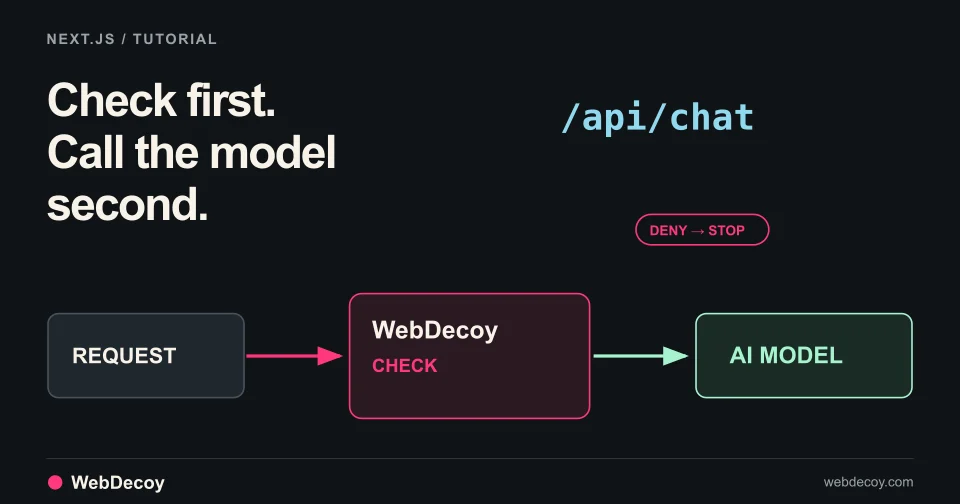
WebDecoy AI Protection is in public beta. Follow this tutorial to add a check in front of your Next.js chat route so denied requests never reach the model.
tutorial
Use WebDecoy with React and Express to observe crawler requests, verify reporting, and inspect detections while keeping your site in monitor mode.
tutorialLike this post? Share it with your friends!
Get a personalized demo from our team.