
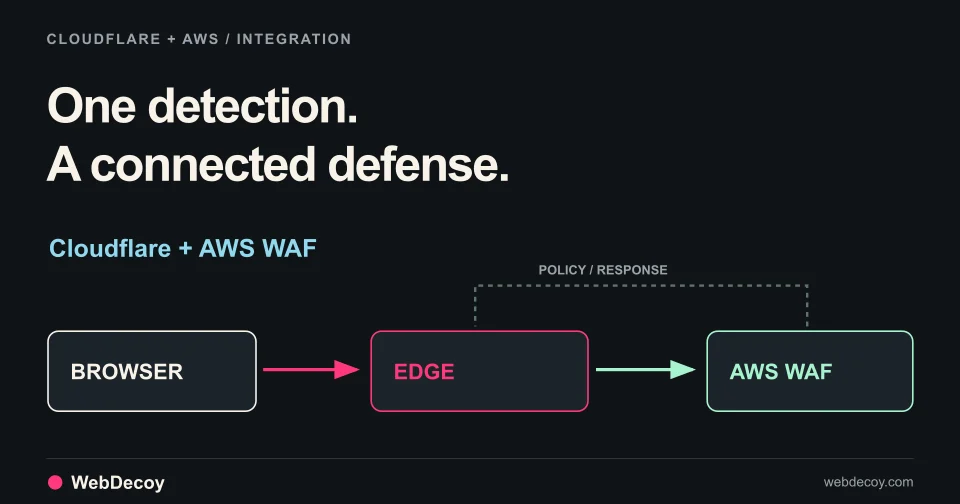
How WebDecoy Integrates With Cloudflare and AWS
From one script tag to a rotation-proof lockout: the setup, the visitor experience, and the closed loop across a Cloudflare Worker and AWS WAF.
integrationDeploy WebDecoy's edge sensor to Cloudflare in one click. Detect the crawlers a JavaScript tag can't see, and enforce before they hit your origin.
The WebDecoy edge sensor is now a button.
Open Integrations → Cloudflare, pick a zone, click deploy. WebDecoy uploads the Worker, binds the route, and provisions the routes that keep it off your static assets. No wrangler, no YAML, no CI pipeline, and one click to remove it again.
What you get is a sensor sitting in front of your origin doing two jobs your page tag cannot do from inside the browser.
A page tag identifies crawlers by reading navigator.userAgent, which requires a JavaScript runtime.
Googlebot’s crawl pass is a plain HTTP fetch with no DOM. Rendering is a separate, deferred, heavily cached pass that may never happen for a given URL. GPTBot, ClaudeBot, CCBot, and PerplexityBot never execute JavaScript at all. curl certainly doesn’t.
None of those clients ever run the tag. The only place to observe them is in the request path, in front of your origin, which is exactly where the sensor sits. It sees the raw HTTP request, decides whether the traffic is plausibly non-human, and forwards only that to WebDecoy.
The decision function is deliberately cheap. It’s a pre-filter, not a detector: no network calls, no async, no allocation in the hot path.
| Flag | Rule |
|---|---|
known_crawler_ua | UA matches the crawler set: googlebot, gptbot, claudebot, ccbot, perplexity, bytespider, amazonbot, applebot, bingbot |
http_client_ua | UA matches tooling: curl, wget, python-requests, go-http-client, scrapy, headlesschrome |
crawler_path | Path is /robots.txt or /sitemap*.xml |
cf_verified_bot | cf.verifiedBotCategory is non-empty |
wba_signature | A Signature-Agent or Signature-Input header is present |
missing_client_hints | UA claims Chrome or Edge but sends no sec-ch-ua |
no_user_agent | No UA at all |
All the authoritative work: published IP-range verification, forward-confirmed reverse DNS, signature validation, the full agent registry, happens server-side, where it belongs. The Worker only decides what’s worth sending.
missing_client_hints is the one worth dwelling on. Chrome 89 and later always send sec-ch-ua on a navigation request, so a request claiming to be Chrome without it is lying. That check is impossible from JavaScript, because the impersonator never runs any. It isn’t that a page tag does it worse at the edge: the edge is the only place the check can exist at all.
Note also what the sensor does not read: cf.botManagement.score. That field requires Enterprise Bot Management. cf.verifiedBotCategory is available on every plan, so this works on a Free zone.
Detection tells you who is there. Enforcement is what you do about it, and the same Worker handles both.
The distinction between them is deliberate and worth stating plainly:
Detection never blocks, challenges, or modifies a response. It is a sensor. Turning it on cannot change what any visitor sees.
Enforcement validates session clearance tokens at the edge, so a client you have already denied is stopped before it reaches your origin. It acts only on clients that have already earned a decision.
That decision isn’t a configuration setting you toggle and hope. Monitor mode runs with pass-through semantics: a decoy hit writes a pending deny-list entry that affects nothing, and you review it with the evidence attached.
[pending]  9f3c4a71        device · 40 IPs · 3 sites · 2h ago

why: requested /wp-admin-backup.php at 03:41:12 — a path that exists
     nowhere on your site, linked only from a hidden element on /pricing

[ Deny — 30 days ]   [ Dismiss ]   [ Open actor → ]
Ask most bot products why they flagged something and you get a detection ID or a score. A honeypot hit explains itself in one sentence, and that sentence is what makes an enforcement decision defensible. By the time you flip to Enforce, you’re acting on a list you’ve already read.
Enforce itself is a gate, not a toggle. It checks four preconditions: clearance key installed, routes scoped, edge validator deployed and recently seen, WAF connected. And refuses the flip with a stated reason rather than accepting a click that quietly does nothing.
Two lanes run underneath, and the product tells you which one applies. Browsers resolve to a device-tier identity and get clearance tokens, revoked on every IP the moment a decoy is tripped: clients that never open a browser resolve only to a network-tier fingerprint, so they’re handled by composite, auto-expiring rules in the WAF you already own.
Deploying code onto someone else’s infrastructure from a button labelled “Deploy” deserves more caution than it usually gets. Preflight enumerates every existing script and route before writing anything:
| State on your zone | What happens |
|---|---|
| No Worker on the pattern | Clean install |
| Our sensor, deployed by us | In-place upgrade |
| A WebDecoy Worker you deployed by hand | Adopt, with explicit confirmation of what changes |
| Someone else’s Worker on the same pattern | Refused, naming the pattern and script |
| DNS-only (grey-cloud) zone | Refused before anything is written |
The grey-cloud check matters more than it looks. Worker routes only fire on proxied, orange-clouded records. A DNS-only zone accepts the route and the Worker simply never runs: a silent no-op that looks exactly like a successful install. We block it with a specific error instead.
The third-party conflict is a hard refusal, not something we resolve for you. Cloudflare runs exactly one Worker per matched route; taking the route would silently stop your code from running. That isn’t ours to decide.
And Uninstall shipped alongside install. It deletes every route we provisioned, then the script. We don’t offer an install we can’t reverse.
A Worker bound to example.com/* fires on every .js, .css, and image. Cloudflare routes support negation: a route with no script attached negates less specific patterns, and the most specific pattern wins. So the installer provisions these alongside the main route:
example.com/*            -> webdecoy-sensor
example.com/_astro/*     -> (no script)
example.com/_next/*      -> (no script)
example.com/_nuxt/*      -> (no script)
example.com/assets/*     -> (no script)
example.com/static/*     -> (no script)
example.com/wp-content/* -> (no script)
example.com/cdn-cgi/*    -> (no script)
The default set covers Astro, Next, Nuxt, SvelteKit, Vite, Hugo, and WordPress. Add your own in the install UI. For Cloudflare Pages sites, _routes.json is cleaner still. Excluded paths never invoke the Function and don’t count toward billing.
Tuning lives in remote config, fetched with a short per-isolate cache, so a regex or flag change propagates to every deployed sensor within a minute. No fleet-wide redeploy, and nothing for you to click.
This is the invariant everything else rests on, so here’s how it’s enforced rather than just asserted:
ctx.waitUntil(), never awaited on the response pathAbortSignal.timeout()The adversarial test suite asserts that ingest returning a 500, timing out, and failing DNS each leave the response untouched: and that a throw inside the filter still serves the origin response.
In the app: Integrations → Cloudflare → Edge Sensor. Connect, pick a zone, deploy.
Or deploy it yourself: the Worker is public at github.com/WebDecoy/edge, with a Deploy to Cloudflare button that clones it into your own account. Set WD_SITE_KEY to your organization id from Integrations → Cloudflare, leave WD_API_BASE alone, and bind the route yourself. The same repository has an AWS Lambda@Edge function for CloudFront, which handles enforcement.
Keep your page tag. The two are complements with opposite blind spots: the tag catches headless browsers, automation frameworks, behavioral signals, and LLM referrals; the sensor catches everything that never opens a browser. Neither sees the other’s traffic.
Start a free trial or see how the edge sensor works.
See where edge observation fits rate and availability routes, and how third-party booking engines affect deployment. Investigate rate scraping on travel websites.
Two jobs, in one Cloudflare Worker. Detection reports automated clients that never execute JavaScript: Googlebot's crawl pass, GPTBot, ClaudeBot, CCBot, PerplexityBot, curl, and scripted HTTP clients. Enforcement validates session clearance tokens at the edge, so a client you have already denied is stopped before it reaches your origin. Detection never blocks or modifies a response; enforcement only ever acts on decisions you have approved.
A page tag identifies crawlers by reading navigator.userAgent, which requires a JavaScript runtime. Googlebot's crawl pass is a plain HTTP fetch with no DOM: rendering is a separate, deferred, heavily cached pass that may never happen for a given URL. GPTBot, ClaudeBot, CCBot and PerplexityBot do not execute JavaScript at all. The tag is not broken; it is running in the one place these clients never visit.
No. The sensor forwards the origin response unconditionally and fires its beacon inside ctx.waitUntil(), so the beacon is never awaited on the response path. Every code path is wrapped in try/catch and the beacon carries a hard AbortSignal.timeout(). The test suite asserts that ingest returning a 500, timing out, and failing DNS each leave the response untouched.
It would, so the installer provisions negating routes alongside the main route. A Cloudflare route with no script attached negates less specific patterns, and the most specific pattern wins. The default set covers common static prefixes across Astro, Next, Nuxt, SvelteKit, Vite, Hugo and WordPress, and you can add your own in the install UI.
The install refuses and names the conflicting pattern and script. Cloudflare runs only one Worker per matched route, so silently winning the route would break your code. If the existing Worker is a hand-deployed WebDecoy one, the installer offers to adopt it instead. Take over management and rebind the route, with explicit confirmation of what changes.
No. The sensor runs on Workers, which is available on the Free plan, and negating routes keep static assets from consuming that budget. The one capability that does require a paid tier is Cloudflare's own bot score, which the sensor deliberately does not use. It reads the verified-bot category instead, which is available on every plan.
From one script tag to a rotation-proof lockout: the setup, the visitor experience, and the closed loop across a Cloudflare Worker and AWS WAF.
integration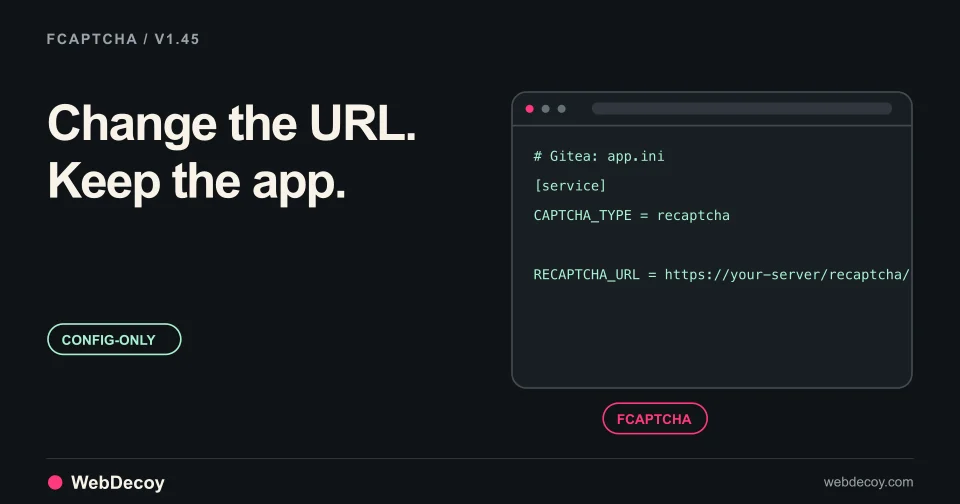
FCaptcha v1.45 serves its widget on the Turnstile, hCaptcha and reCAPTCHA script paths, so apps that let you change those URLs can use it with config alone.
integration
WebDecoy is live on Shopify. Detect bot traffic, investigate risky orders, track AI crawlers and referrals, and choose your response with Shopify Flow.
integrationLike this post? Share it with your friends!
Get a personalized demo from our team.