Automated clients can collect public lessons, course descriptions, and learning resources. Observe request activity and decoy events to investigate repeated collection. Keep paid lessons behind your existing authentication and entitlement checks.
02
Registration spam fills enrollment workflows
Scripted signups trigger email, consume trial capacity, and create accounts that never learn. Place automation checks at the point where your application accepts a registration, before it provisions access or sends enrollment messages.
03
Shared networks complicate account protection
A classroom or campus can send many legitimate sessions through one public address. Investigate browser and decoy evidence alongside authentication logs instead of treating a shared IP as proof of abuse. Keep student access in mind when choosing response scope.
Inside WebDecoy
Turn suspicious traffic into a specific event.
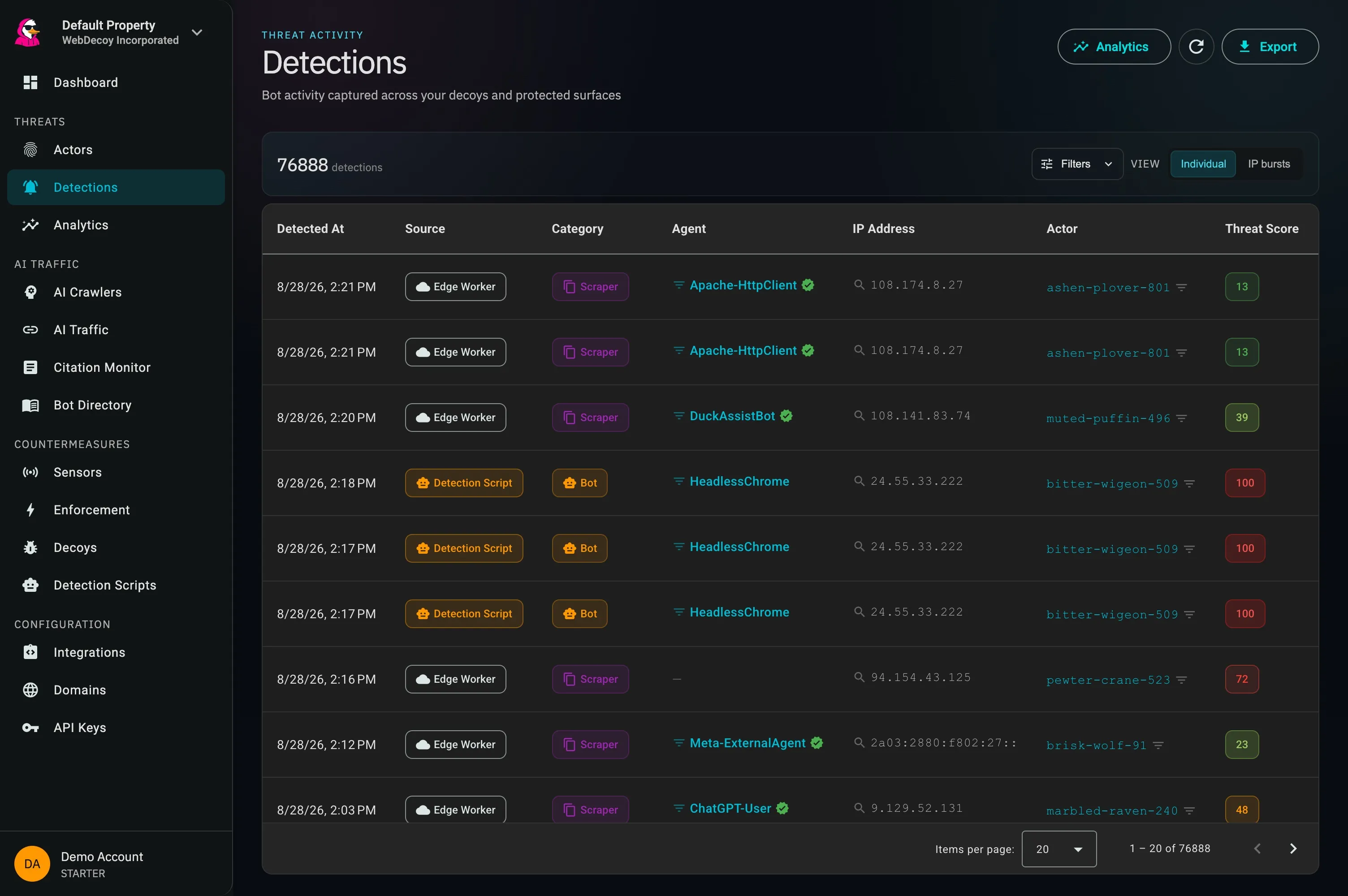
The real detections view brings event source, actor, category, and threat context together. Compare those events with course access and authentication logs to investigate scraping or repeated automated signups without interpreting every busy classroom as an attack.
app.webdecoy.com/detections
Actual WebDecoy interface. Product views shown with recorded traffic.
How it fits
Protect a course from discovery to enrollment.
01
Observe the public course catalog
Use browser detection for interactive sessions and Edge Sensor on supported Cloudflare deployments for HTTP crawlers. Review which clients collect public course pages, and preserve access for desired search engines.
Place decoy links outside normal lesson and catalog navigation, away from keyboard and assistive-technology journeys. Review a decoy request with its actor context and the corresponding access logs before deciding on a response.
Add form verification to a registration flow you control and validate it before creating the account. Evaluate responses against real student journeys, then connect approved decisions to supported application or WAF controls.
On a custom learning platform, start with public course pages and a registration endpoint using the browser tag and Node SDK. WordPress-based sites can start with the plugin. For a hosted learning management system, confirm which scripts and server controls the provider supports; a tag on your marketing site does not automatically cover a separately hosted student portal.
Does WebDecoy prevent downloads or copying of paid course content?
WebDecoy helps detect automated collection and apply access policies through supported integrations. Keep authentication, course entitlements, and your media provider’s access controls in place. It does not provide video DRM or stop every copy made by an authorized learner.
Can we deploy it on a hosted learning management system?
Coverage depends on what your provider permits. A supported script integration can collect browser signals on pages where it runs; server-side verification and blocking need control of the relevant request path or a provider-supported integration. Confirm coverage separately for the catalog, enrollment flow, and student portal.
How should we protect students on shared networks or using assistive technology?
Start in monitor mode and compare detections with known student journeys. Test registration and lesson navigation with keyboard and assistive-technology users, place decoys outside legitimate navigation, and review evidence before enabling enforcement. Avoid broad blocks based only on a shared campus address.