Scrapers collect product descriptions, prices, and availability across thousands of pages. Rotating IP addresses makes a single operation look like many unrelated visitors. Decoy links and actor identity help connect those visits.
02
Checkout activity hides card testing
Repeated low-value purchases and scripted sessions deserve investigation. Connect browser detection to your review process so your team can examine the activity behind an order before deciding what to do with it.
03
Useful agents share the storefront
Search crawlers, shopping assistants, and abusive automation can all reach product pages. Verify supported crawler identities and choose an access policy for each, while keeping ordinary product discovery open.
Inside WebDecoy
See the actor behind the requests.
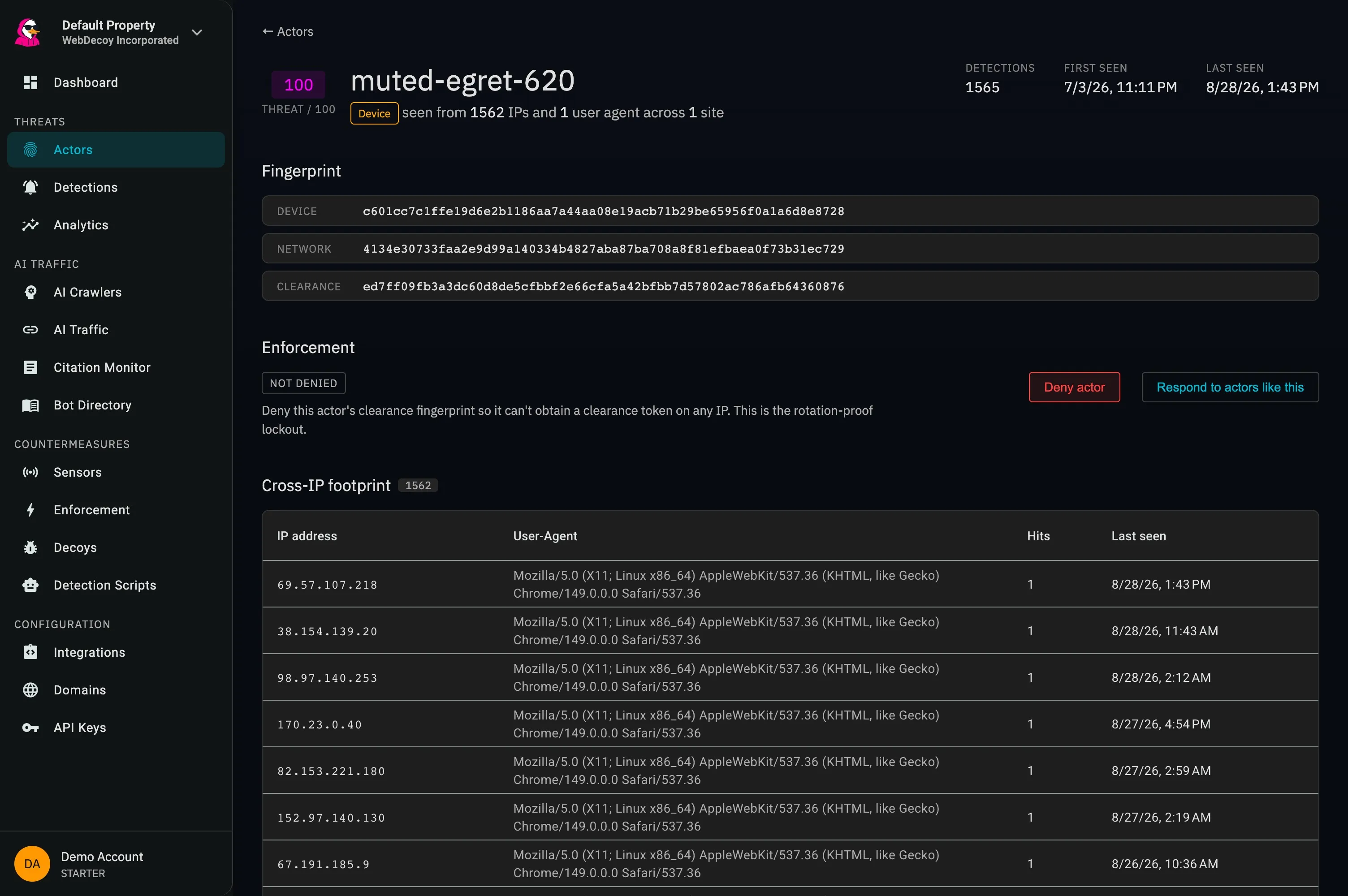
This real WebDecoy actor view connects detections and addresses in one investigation. Use that context to examine repeat scraping activity.
app.webdecoy.com/actors
Actual WebDecoy interface. Product views shown with recorded traffic.
How it fits
From a catalog request to a reviewable decision.
01
Observe the storefront
Use browser detection for interactive sessions and Edge Sensor on supported Cloudflare deployments for clients that never execute JavaScript. Review where automation concentrates before changing access.
Place decoy links outside normal shopping journeys. A decoy request gives you a concrete event to investigate; available device and network signals help connect activity across IP changes.
On a custom stack, enforce approved decisions through a supported WAF or application integration. On Shopify, review suspicious order tags and decide whether to cancel, refund, or investigate.
Choose the integration that matches your storefront. Shopify merchants install and subscribe through the Shopify App Store. WooCommerce teams can start with the WordPress plugin; custom storefronts can use the Node SDK and supported edge integrations.
Does the Shopify app block a customer during checkout?
The Shopify app’s order protection flags suspicious orders after purchase for merchant review. It does not interrupt checkout or automatically reverse a sale. Inline blocking on other deployments depends on the application or WAF integration you configure.
Can I keep search engines and shopping agents working?
Use Agent Identity to verify supported operators, then set the access policy you want. Verification establishes who is making a request; it does not automatically grant every verified agent permission to use every route.
Is this the same as payment fraud screening?
WebDecoy supplies bot and automation evidence. Your payment provider’s fraud checks, order review, and refund decisions remain part of the purchase workflow. Bot detection alone cannot determine whether every transaction is fraudulent.