
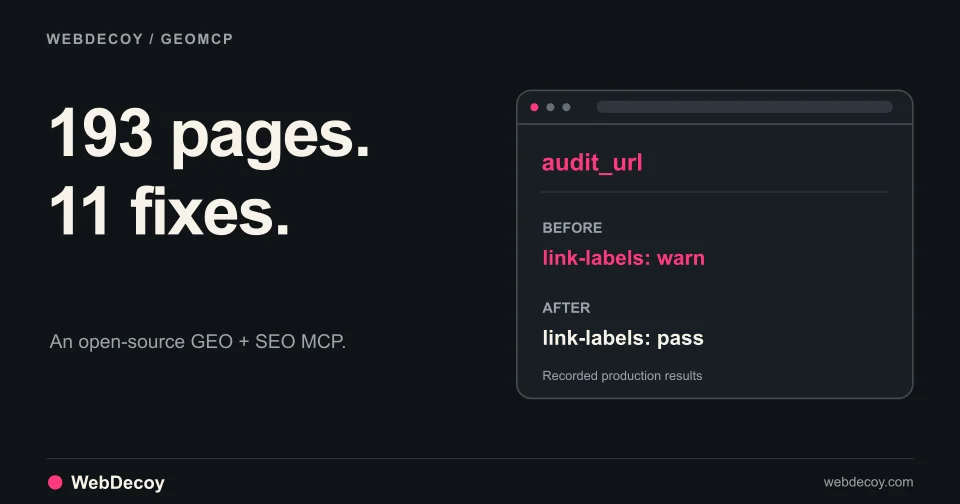
We Audited 193 Pages with Our Open-Source GEO MCP
GEOMCP found 11 small issues across our site. Here are the real findings, the fixes, and how we verified them through an MCP client.
tutorialStop WordPress registration spam with honeypots and bot detection. Identify the signup route, install the free plugin, and verify coverage before blocking.
Published · Updated
Fake accounts, spam comments and repeated login attempts are different entry points into a WordPress site. To block the bots responsible, first identify the route they are using, then apply protection to that route.
WebDecoy adds bot detection, honeypots and deception traps to WordPress without a visible CAPTCHA. It is our free, open-source plugin. Local protection needs no account or API key, and a fresh install starts in monitor mode so you can inspect evidence before enforcing.
Install WebDecoy from WordPress.org or open the installer for your site.
Start with the signup route, not the number of new accounts. Core WordPress registration, WooCommerce My Account, a membership plugin and a custom API can create users through different paths.
In Settings → General, check Membership → Anyone can register. Disable it if your site does not need public core registration. Check your new-user default role too; new public accounts should not receive administrator access.
This setting is not a universal off switch. WooCommerce controls customer account creation separately in WooCommerce → Settings → Accounts & Privacy. Membership plugins may also have their own signup settings. See the WordPress General Settings documentation and WooCommerce account settings.
Compare new-user timestamps with your access logs. Look for repeated submissions to the route that creates the accounts. A public signup page, a custom endpoint and checkout account creation can need different controls.
Do not assume that protecting /wp-login.php also protects /my-account/, a custom form, or a payment API. Do not disable the entire REST API as a shortcut; your store or integrations may need it.
For core WordPress forms, install WebDecoy:
wp plugin install webdecoy --activateOr open Plugins → Add Plugin, search WebDecoy, then select Install Now → Activate.
WebDecoy adds a hidden field to the standard registration form through register_form and checks core registration through register_post. Review Protect Registration and honeypot settings in WebDecoy. The source code is public.
Coverage matters: those WordPress hooks do not establish protection of WooCommerce My Account, BuddyPress, a page-builder form or another custom registration endpoint. Use the form provider’s supported verification controls and test the actual signup route. WebDecoy’s WooCommerce checkout protection is a separate integration.
Keep monitor mode enabled while you submit a normal registration on a site you control. Check the activation email or password setup process and confirm the expected user role. Review matching detections and host logs before enabling enforcement.
If you also use email verification or manual approval, test the complete process. WebDecoy’s bot checks do not establish that an email address belongs to a real customer, and this guide does not add email verification to your site.
After enabling protection, repeat the normal signup test. Also check login and password reset. Keep a working administrator session available while testing access changes.
Request analysis can flag suspicious headers, known automation markers and unusual traffic patterns. Deception adds a different kind of evidence: a request to a decoy resource, or a submission that fills an intentionally hidden field.
That interaction is useful evidence to investigate. It does not make false positives impossible. Link scanners, browser tooling, autofill and testing systems can interact with unexpected parts of a page. Review the request context and the behavior you want to allow.
Decoy paths attract scanners probing for exposed files or known application routes. A trip records the path and request context so you can inspect it alongside other signals.
Use only the decoys supplied by your installation. A real XML-RPC endpoint or author archive may serve legitimate integrations; turning it into a trap requires checking those dependencies first.
A decoy link in a page can reveal automation that follows links ordinary browsing does not expose. A matching detection shows the interaction, not the identity or intent of every client behind an address.
Review detections in the dashboard rather than treating every repeated hit as a separate attacker.
WebDecoy can serve fake responses for probing paths, including plausible-looking configuration or backup files. Any canary values must be artificial and valid nowhere. Keep real credentials out of decoy content.
A later attempt to use a canary value is additional evidence beyond fetching the file. Inspect the recorded events before choosing a response.
The plugin also supports a WooCommerce coupon decoy. A use of that decoy is evidence to review at checkout. Keep this separate from payment-history checks: applying a coupon and repeatedly failing payment are different actions.
For the tested classic and Blocks checkout flow, see WooCommerce card testing: detect and block checkout bots.
Monitor mode records without applying blocking actions. Use it while you check the traffic your site receives and the flows legitimate visitors need.
If you manage WordPress with WP-CLI:
wp webdecoy status
wp webdecoy config set mode monitor
After reviewing the results and testing your site, you can enable enforcement in settings or with:
wp webdecoy config set mode blockThese commands change enforcement. Run them only on an installation you administer, after checking registration, login, forms and checkout. Settings or notices can also suppress enforcement, for example when proxy configuration needs attention.
Use the exact canary URL shown in WebDecoy → Detections on your installation. Send a request to that URL on a site you own, then confirm the matching event appears in the detection log.
Our recorded installation walkthrough shows a controlled canary test: it was logged with HTTP 404 in monitor mode and returned HTTP 403 after enforcement was enabled. A separate ordinary homepage request returned HTTP 200.
That verifies the tested canary path. It does not prove a particular registration form is covered. Test that form separately.
Crawler recognition and crawler identity are separate questions. A request can claim to be Googlebot in its user-agent string. Compare the available verification evidence before allowing it solely on that name.
Google documents reverse DNS and published IP range checks. Keep recognized search crawlers, AI training crawlers and assistants fetching for a person separate when choosing your policy.
For setup and coverage details, see detect AI crawlers on WordPress.
Get WebDecoy free on WordPress.org, or open your site’s WordPress installer.
Install, inspect detections, and check the signup and checkout paths your site actually uses. Local detection needs no account or API key. Optional cloud features are separate from the local protection covered here.
Related reading: WordPress setup and AI crawler detection · WooCommerce card-testing protection · Testing bot-detection false positives.
Find the signup route creating the accounts. If public core registration is unnecessary, disable Anyone can register in WordPress Settings, General. Otherwise, use protection that covers that registration form, start in monitor mode, and verify legitimate registration before enabling enforcement. WooCommerce and membership forms require separate coverage checks.
The core registration protection described here runs on WordPress register_post and adds a honeypot through register_form. Those hooks do not establish coverage of WooCommerce My Account or a custom membership form. Test each route and use an integration that explicitly supports it. WebDecoy has separate WooCommerce checkout checks.
WebDecoy combines server-side request analysis, honeypot fields on supported WordPress forms, and decoy paths. It works locally without an account or API key. Review detections in monitor mode and test your important site flows before enabling protection. No single signal detects every automated request.
No. A quiet log can mean no matching request has arrived, that the request never reached WordPress, or that the route is outside the configured protection. Use a controlled canary test and compare the results with host or edge logs.
GEOMCP found 11 small issues across our site. Here are the real findings, the fixes, and how we verified them through an MCP client.
tutorial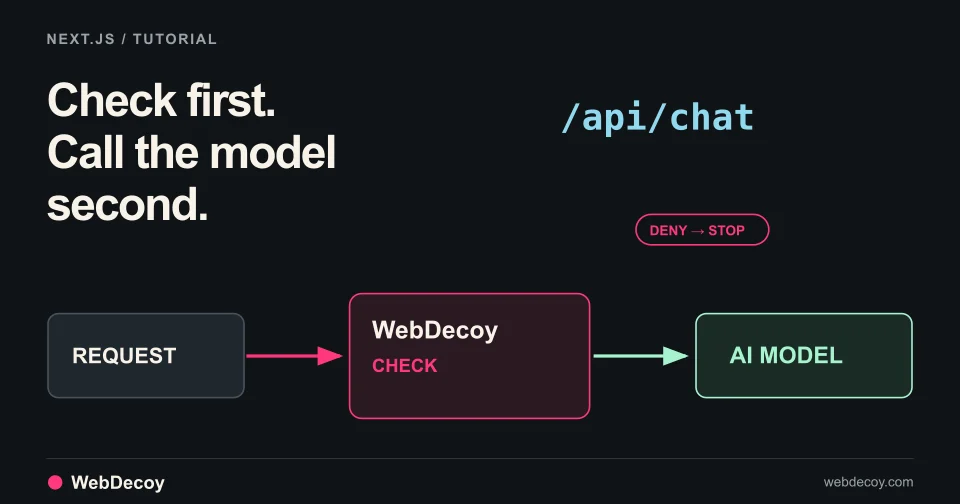
WebDecoy AI Protection is in public beta. Follow this tutorial to add a check in front of your Next.js chat route so denied requests never reach the model.
tutorial
Use WebDecoy with React and Express to observe crawler requests, verify reporting, and inspect detections while keeping your site in monitor mode.
tutorialLike this post? Share it with your friends!
Get a personalized demo from our team.