
How to Detect Browser-as-a-Service Scrapers in 2025
Technical guide to detecting Browserbase, Skyvern, and stealth AI agents. TLS fingerprinting, behavioral analysis, and honeypots beat evasion tactics.
bot-detectionCloud-hosted AI agents reach forms and signup flows in full browsers. What the latest traffic research means for bot detection on your site.
Your signup page can receive a visit from a full browser, execute JavaScript, and get a completed form while an AI agent operates the session.
That changes a familiar shortcut in bot detection: a convincing browser environment cannot establish that a person is operating it directly.
Meta’s introduction to Muse describes an agent running in a dedicated cloud VM with its own browser. The visitor your site observes can therefore be a remote execution environment serving someone’s task.
For a site owner, the useful questions are concrete: what is this visitor doing, what evidence supports its identity, and what should it be allowed to do next?
In its Q3 2026 AI Traffic Report, published October 15, DataDome reported:
| Reported measurement | Population and period |
|---|---|
| 4.7× growth in agentic-browser requests | August to September 2026 on DataDome’s network |
| 99.3% from cloud and CDN infrastructure | Its Muse traffic sample |
| 8.9% reaching sensitive endpoints | Muse sample requests to forms, login, payment, account-creation, or cart endpoints |
The report covers July–September; its Muse observation window extends from September 22 to October 3. These are DataDome’s measurements, rather than WebDecoy telemetry or estimates of every website’s traffic.
An endpoint request does not establish a completed submission, purchase, or fraudulent action. Our interpretation is that site owners should inspect the actions this traffic attempts, alongside its source.
Consider someone asking an assistant to compare products and contact a seller. The assistant can use a remote browser to visit pages and interact with the site. Your application receives requests from that environment.
The IP describes a network exit. A fingerprint describes browser characteristics. A sequence of clicks describes an interaction. Each can contribute evidence, but none establishes the customer’s identity or grants permission to act on an account.
This distinction matters in both directions. A cloud-hosted visit may be useful to your business. A polished browser session may also be attempting an action you would reject.
Your policy needs to account for the resource being requested and the consequences of the action. Reading a public article, submitting a sales inquiry, and claiming a free account benefit deserve different decisions.
A practical investigation separates four questions:
| Question | Evidence to inspect | Decision it helps inform |
|---|---|---|
| Where is the request coming from? | Source IP, ASN, hosting or proxy signals | Network context and traffic controls |
| Who does the client claim to be? | User agent, supported signature verification, published operator IP ranges | Confidence in an agent identity claim |
| What is the session doing? | Paths, timing, repeat visits, form interactions, decoy hits | Whether the behavior warrants investigation or restrictions |
| Is this action permitted? | Authentication, account ownership, application rules, action-specific limits | Whether the application should execute it |
Keep evidence attached to the decision. If an actor repeatedly requests the same resource, preserve the requests and timestamps that show it. If a rule denies a submission, make the reason inspectable.
For declared crawlers, use the verification methods their operators support. Google’s Web Bot Auth guidance describes a gradual, experimental rollout: some agents and requests remain unsigned. Missing a signature by itself therefore cannot settle an identity or abuse investigation.
Start with a small set of routes that matter to your business:
Record the outcome too. A rejected request, an accepted submission, and a new account with a working install are different events. This is how you learn whether a control protects a useful flow while still letting legitimate visitors finish it.
WebDecoy gives site owners a way to investigate that traffic. Combine browser detection signals with edge visibility for clients that do not execute your page’s JavaScript. Inspect agent identity evidence when a visitor claims to be a known crawler.
Use the observed requests to answer the questions that matter to your site: which paths does this actor return to, how broadly does it crawl, and which detections support further action?
Start in monitor mode. Review the evidence and legitimate traffic before choosing enforcement through the integrations you configure.
If your immediate problem is AI agents interacting with a form, FCaptcha is our separate, self-hosted CAPTCHA project built to detect AI agents driving real browsers. Try the demo, then verify its token on your server before executing the protected action. Your application still owns permissions, quotas, and retry handling.
See what is visiting your site: create a free WebDecoy account. No credit card required.
No. A cloud address identifies infrastructure. An agent doing useful work for a customer can use that infrastructure too. Evaluate the request's behavior, identity evidence, account permissions, and the action being attempted.
Browser signals describe the environment making the request. When an agent runs in a remote VM, that environment is the agent's browser. Those signals alone do not establish the identity or permission of the person directing it.
Connect WebDecoy through an integration appropriate to your site. Use browser detection for browser activity and edge visibility for clients that do not execute JavaScript. Start in monitor mode and inspect requests and identity evidence before choosing a response.
Technical guide to detecting Browserbase, Skyvern, and stealth AI agents. TLS fingerprinting, behavioral analysis, and honeypots beat evasion tactics.
bot-detection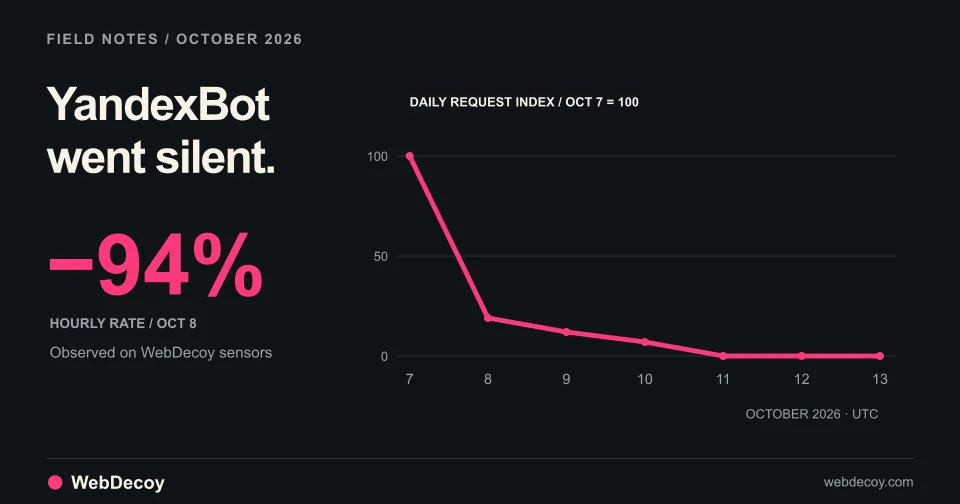
After reported strikes on Yandex data centers, YandexBot traffic on our sensors fell 94% on October 8 and stopped on October 10. Googlebot didn't move.
bot-detection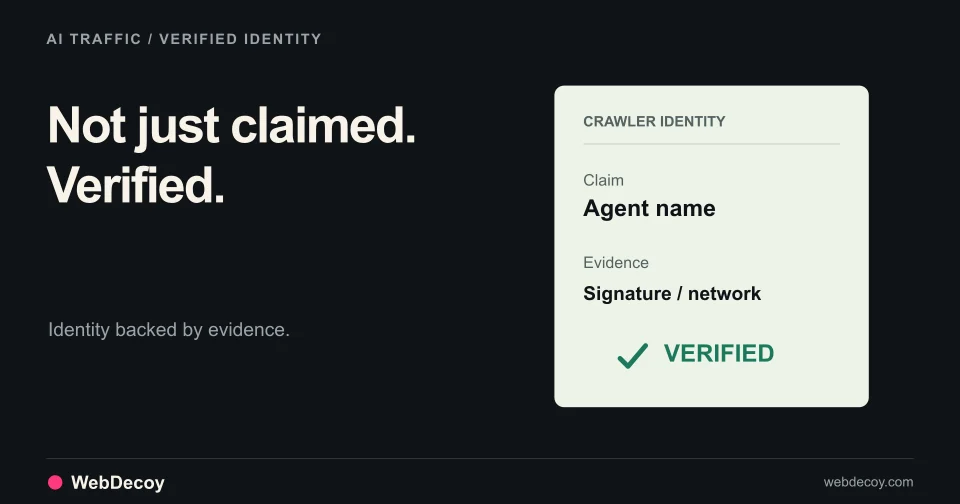
See which AI crawlers proved who they are, which pages AI assistants fetched for real people, and how many visitors each AI product sent back.
bot-detectionLike this post? Share it with your friends!
Get a personalized demo from our team.