
FCaptcha v1.34: Seven Releases About Not Blocking Humans
Most of FCaptcha v1.28–v1.34 protects the visitor who did nothing wrong: expired tabs, sparse mouse traces, invisible mode. Plus one breaking change.
bot-detectionWe tested Browser Harness against FCaptcha with paired controls, independent replication, accessibility workflows, and three-runtime replay.
Published · Updated
A browser agent can look like Chrome because it is Chrome. When automation controls a real browser through the Chrome DevTools Protocol (CDP), familiar checks such as navigator.webdriver may tell us very little.
So we tested a different question: does the agent produce a repeatable input shape that differs from a person completing the same task?
We ran Browser Harness 0.1.13 against FCaptcha, paired every automated run with a manual control, repeated the experiment on a second physical machine, and then tested the candidate against captured human and accessibility workflows.
The resulting observation matched all 12 Browser Harness runs and none of their 12 paired manual controls. It also matched 0 of 50 captured human samples, including 0 of 5 targeted accessibility workflows.
That is a useful result. It is not proof that FCaptcha can identify every agent built with browser-use, nor is it a new blocking rule. The observation remains diagnostic and versioned as external-cdp-input-shape-v1.
The automation target was Browser Harness release 0.1.13 at commit c24e5072ee66f8499bacd663f4f4bcb089bc4492. Browser Harness is maintained in the browser-use organization, but it is a distinct tool with a specific interaction implementation. We pinned it because an unpinned “AI browser agent” cohort would be impossible to reproduce.
The fixed task asked the agent to:
Browser test into a form.The first cohort used five fresh Linux/arm64 containers on a Mac mini. The independent cohort ran on a MacBook Pro with an M4 Max, again using fresh Linux/arm64 containers. Both used Chromium 156.0.8078.79, Browser Harness 0.1.13, and FCaptcha 1.51.4.
Each automated attempt had a manual control using the same machine, browser build, profile configuration, FCaptcha release, mode, and network boundary. A failed run, timeout, operator takeover, or incomplete submission was quarantined rather than counted as a detection.
| Cohort | Mode | Browser Harness | Paired controls |
|---|---|---|---|
| Mac mini | Form | 5/5 detected | 0/5 detected |
| Independent MacBook | Form | 5/5 detected | 0/5 detected |
| Independent MacBook | Widget | 1/1 detected | 0/1 detected |
| Independent MacBook | Invisible | 1/1 detected | 0/1 detected |
| Total | 12/12 detected | 0/12 detected |
Every Browser Harness sample also received FCaptcha’s existing production score of 0.600, while the released-client manual controls scored 0.108675 and were allowed. The new observation discussed here remained separate from those production results.
There are two different results in this study, and collapsing them would make the result harder to understand:
block recommendation.external-cdp-input-shape-v1 observation described a repeatable Browser Harness input sequence. It remained observe-only and contributed nothing to that production score.The production result did not come from navigator.webdriver, a Headless Chrome user agent, or a leaked Playwright global. Browser Harness used ordinary headed Chromium. In the captured payloads, webdriver was false, the legacy CDP detector was clear, and the user agent looked like Chrome.
Instead, every one of the 12 runs triggered these three production detections:
| Production detection | Captured Browser Harness evidence | Why the paired controls cleared it |
|---|---|---|
vision_ai: no mouse movement before interaction | 0 pointer points and 0 pixels of pointer trajectory | Controls recorded 69–133 points and 453–937 pixels of trajectory |
behavioral: no accepted human pointer, touch, or keyboard modality | 28 key events, but 14 key holds averaged only 1.17–1.80 ms | Control key holds averaged 92.65–125.15 ms |
automation: field populated without keystrokes or paste | One input event had no preceding key, no inputType, and no paste evidence | Controls had no input events with that contradictory shape |
The one widget-mode capture also triggered No approach trajectory to target, because a visible widget provides a target whose pointer approach can be measured. Form and invisible scoring do not use that widget-only check.
Here is the missing implementation map. FCaptcha does not send a generic “automation detected” flag from the browser. The client JavaScript records event-shape counters, serializes them into two branches of the signal payload, and the server turns particular combinations into detections.
browser event
  -> client recorder
  -> JSON payload field
  -> server predicate
  -> detection category / reason
  -> category score and policy
For the Browser Harness captures, the concrete paths were:
| Browser event or API | Client JavaScript | JSON sent to the server | Server consumer | Result in this benchmark |
|---|---|---|---|---|
mousemove | BehavioralAnalyzer.recordMouseMove() records coordinates and time; analyze() derives count and path length | behavioral.totalPoints, behavioral.trajectoryLength | detectVisionAI() and detectBehavioral() | Production: emitted vision_ai and behavioral detections because both values were zero and neither the touch nor keyboard-only exemption applied |
keydown + keyup | recordKeyEvent() counts events and measures each down-to-up duration | behavioral.keyEvents, keyHoldSamples, keyHoldAvg | mechanicalKeyHold() inside keyboardOnlyUser() | Production gate: 28 events existed, but 1.17–1.80 ms average holds failed the human keyboard-only exemption; that allowed the zero-pointer detections above to fire |
document keydown | FormAnalyzer._recordModalityKey() counts pending non-modifier keys and Ctrl/Meta+A; the next input converts the pending-key count into inputsWithoutKeys | formAnalysis.typing.inputsWithoutKeys, selectAllShortcuts | checkProgrammaticFill() uses inputsWithoutKeys; externalCdpInputObservation() uses both fields | Mixed: helped produce the production synthetic-fill detection; select-all contributed only to the observe-only conjunction |
document input | _recordModalityInput() checks for a preceding key, InputEvent.inputType, and a paste input type | formAnalysis.typing.inputEvents, inputsWithoutKeys, inputsWithoutInputType, pasteInputs | checkProgrammaticFill() and externalCdpInputObservation() | Production + observe: one input without key, input type, or paste emitted the automation detection; the same counters also contributed to the observation |
document paste | recordPaste() increments a page-wide counter | formAnalysis.typing.pasteEvents | checkProgrammaticFill() and externalCdpInputObservation() | Negative evidence: a real paste suppresses the synthetic-fill predicate; Browser Harness emitted no paste event |
scroll | recordScroll() stores position and monotonic time; _analyzeScrollMorphology() groups events separated by at most 200 ms and counts gestures lasting at most 16 ms | behavioral.scrollMorphology.{gestures,instantRatio,maxStep,samples} | checkScrollMorphology() and externalCdpInputObservation() | Observe only here: two instant gestures completed the observation. The production large-scroll rule did not fire because the run also contained keyboard events |
pointermove and getCoalescedEvents() | recordPointer() measures coalesced batches and checks movementX/Y against coordinate deltas | behavioral.inputForensics.{coalescedSamples,coalescedMax,pointerMoveSamples,pointerMoveZeroRatio} | detectCDP() | No detection: Browser Harness produced no pointer-move samples, so neither CDP pointer predicate had enough samples to run |
The listener registration is ordinary first-party JavaScript in client/fcaptcha.js:
document.addEventListener('mousemove', e => this.behavioral.recordMouseMove(e));
document.addEventListener('scroll', e => this.behavioral.recordScroll(e));
document.addEventListener('keydown', e => this.behavioral.recordKeyEvent(e));
document.addEventListener('keyup', e => this.behavioral.recordKeyEvent(e));
document.addEventListener('pointermove', e => this.behavioral.recordPointer(e));
The form analyzer independently registers document-level keydown, input, and paste listeners. Its input recorder, abridged from FormAnalyzer._recordModalityInput(), is the direct source of the form-shape fields:
t.inputEvents++;

const inputType = e.inputType || null;
if (inputType === null) t.inputsWithoutInputType++;
else if (inputType.startsWith('insertFromPaste')) t.pasteInputs++;

if (t.keydownsBeforeInput === 0 && t.pasteEvents === 0) {
  t.inputsWithoutKeys++;
}
t.keydownsBeforeInput = 0;
Those counters are copied under formAnalysis.typing; the movement summaries are copied under behavioral. The client then sends both branches in the same signals object:
const signals = {
  behavioral: { ...behavioralData, ...clickData },
  formAnalysis
};
The first production path is the zero-pointer path in server-node/engine.js. The key timing is not itself a bot verdict. It decides whether a zero-pointer session should receive the keyboard-only accessibility exemption:
function keyboardOnlyUser(signals, b) {
  if ((b.keyEvents ?? 0) < 2 || (b.totalPoints ?? 0) !== 0) return false;
  return !mechanicalKeyHold(signals, b);
}

if (totalPoints < 5 && trajectory < 10 && !isTouchUser && !isKeyboardUser) {
  // vision_ai: No mouse movement detected before click
}
mechanicalKeyHold() returns true when at least three measured holds average below 20 ms. That made keyboardOnlyUser() false for Browser Harness, so the vision_ai rule above and the corresponding zero-pointer behavioral rule both emitted production detections.
The second production path is checkProgrammaticFill():
const pasted = typing.pasteEvents > 0 || typing.pasteInputs > 0;

if (typing.inputsWithoutInputType > 0 &&
    typing.inputsWithoutKeys > 0 &&
    !pasted) {
  // automation: Field populated without keystrokes or paste
}
That detection has score 0.5 and confidence 0.4 because autofill and password managers can overlap it. It contributes evidence; it is not dispositive.
Finally, externalCdpInputObservation() reads the same form counters plus behavioral.scrollMorphology. It emits external-cdp-form-input-shape only when synthetic fill, select-all, and repeated instant scrolling all agree. That result is returned under experimental.observations.external-cdp-input-shape-v1; it never enters the production category-score calculation.
So the short answer is: mouse coordinates and key-hold timing produced the production vision_ai and behavioral results; input/paste provenance produced the production automation result; and form provenance plus select-all plus scroll timing produced the separate observe-only Browser Harness observation.
The second detection needs unpacking because its current response text says Zero mouse, touch, or keyboard events recorded. The capture did contain keyboard events. The actual predicate is more specific: no pointer movement, no touch modality, and no keyboard-only accessibility exemption.
FCaptcha does not grant that exemption from the key-event count alone. An automation protocol can emit keydown and keyup just as easily as a person can. It also measures the time from each down event to its corresponding up event:
Browser Harness: 14 measured holds, 1.17–1.80 ms average
Paired controls: 12–23 measured holds, 92.65–125.15 ms average
Human-keyboard exemption boundary: at least 3 holds, average >= 20 ms
Browser Harness emitted all 28 key events, including 14 complete down/up pairs, but released each key in roughly one or two milliseconds. That is the timing of protocol injection, not a finger holding a key. The runs therefore did not qualify for the keyboard-only exemption. The captured keyboard-navigation workflow remained clear because its input carried human timing rather than protocol-speed holds.
For a representative form run, the three detections produced these category scores after confidence weighting and within-category aggregation:
vision_ai  = 0.765
behavioral = 0.720
automation = 0.200
The ordinary weighted sum was only 0.26035. FCaptcha then applied its behavioral corroboration rule: when at least two independent behavioral categories each reach 0.4, the final score is floored at 0.600. Both vision_ai and behavioral crossed that boundary, so the result became exactly 0.600 and the recommendation became block.
That floor is why the score was not merely the sum of three alarming-looking numbers. FCaptcha first aggregates evidence within categories, applies category weights, and only then asks whether two independent views agree strongly enough to set a policy floor.
The widget run had the additional missing-approach detection, raising its raw weighted score to 0.28009, but the same corroboration floor still produced the final 0.600 result.
Several detectors often associated with browser automation did not fire:
navigator.webdriver was false.movementX/movementY coherence could not be evaluated.This is the practical reason to retain multiple detection paths. The environment looked like Chrome because it was Chrome. The production result came from how the agent actuated the page: no pointer trajectory, mechanically short keys, and one form value appearing without a matching key or paste path.
The first five pairs produced several tempting separators. Four fields caught all five automated form runs and none of the 38 human samples available at that point:
Shipping any one of those as an automation verdict would have been the wrong conclusion. People paste. Browsers autofill addresses and passwords. Keyboard and screen-reader users select text. Anchor navigation can create an instant scroll. Reduced-motion settings can change navigation behavior.
The versioned observation therefore requires the complete shape:
synthetic fill
  input events > 0
  inputs without keys > 0
  inputs without ordinary input type > 0
  paste events = 0
  paste inputs = 0

AND select-all shortcut > 0

AND repeated instant scrolling
  scroll gestures >= 2
  instant ratio > 0.5
In other words, it looks for text appearing without key or paste evidence, followed by select-all behavior and multiple abrupt scroll gestures in the same interaction. Partial overlap is not enough.
FCaptcha does not retain the text, field name, or key identities. It listens for document-level keydown, input, and paste events and stores only counters describing how text arrived.
On each non-modifier keydown, it increments a pending-key counter. On each input event, it records:
InputEvent.inputType.insertFromPaste.paste event occurred.The counter is reset after each input event. This lets FCaptcha distinguish “a value appeared” from “this value was typed” without collecting the value itself.
All 12 Browser Harness captures produced the same form counters:
{
  "inputEvents": 13,
  "inputsWithoutKeys": 1,
  "inputsWithoutInputType": 1,
  "selectAllShortcuts": 1,
  "pasteEvents": 0,
  "pasteInputs": 0
}
The paired controls produced 12–23 input events, depending on the run, but inputsWithoutKeys, inputsWithoutInputType, and selectAllShortcuts all stayed at zero. This does not mean that every input without an inputType is automated. Chromium autofill and password-manager testing later disproved that. It means Browser Harness produced the complete form shape consistently in this task.
The client records only scroll position and monotonic time, then groups consecutive events into a gesture. A gap greater than 200 ms starts a new gesture. A gesture that begins and ends within 16 ms counts as instant.
Each Browser Harness run produced exactly two scroll gestures. Both consisted of a single event with zero measured duration, so:
{
  "gestures": 2,
  "instantGestures": 2,
  "instantRatio": 1,
  "maxStep": "875–908 px"
}
The controls produced two or three gestures and only one instant gesture. Their instantRatio ranged from 0.333 to 0.5. One manual control did contain a 908-pixel step, which is why the observe-only rule does not use maxStep by itself. Keyboard navigation, an anchor, or browser behavior can legitimately move a viewport that far.
The observation requires at least two gestures and an instant ratio strictly greater than 0.5. Browser Harness was at 1.0 in every run; no paired control exceeded 0.5.
After validating that every required field exists and is a finite number, each server evaluates the same logic:
const syntheticFill =
  inputEvents > 0 &&
  inputsWithoutKeys > 0 &&
  inputsWithoutInputType > 0 &&
  pasteEvents === 0 &&
  pasteInputs === 0;

const selectAll = selectAllShortcuts > 0;
const repeatedInstantScroll = gestures >= 2 && instantRatio > 0.5;

const detected = syntheticFill && selectAll && repeatedInstantScroll;
If telemetry is missing, the status is unknown, not clear. If every field is available but the complete predicate is false, the status is clear. Only the full conjunction returns the diagnostic detection external-cdp-form-input-shape.
The independent cohort made that boundary more important. Chromium address autofill and password-manager workflows both produced inputsWithoutInputType. That field was a clean separator in the initial panel, but it was not a safe general rule. We kept it only inside the full conjunction.
This is why we prefer “input shape” to “fingerprint.” It is a relationship among actions in one fixed workflow, not a permanent identifier attached to a tool.
Accessibility cannot be handled by adding a generic exemption after a detector is written. The relevant workflows need to be measured because they may share individual features with automation.
We retained five consented, real-operator captures made with fictional data and fresh browser profiles:
| Workflow | Relevant overlap | Observation |
|---|---|---|
| Explicit paste | Input without ordinary typing, with paste telemetry | Clear |
| Keyboard navigation | 119 key events, no pointer or touch events | Clear |
| Reduced-motion anchor navigation | Instant navigation behavior reached a 0.5 ratio | Clear |
| Chromium address autofill | Four browser-managed inputs without ordinary input types | Clear |
| Chromium password manager | Two browser-managed credential inputs without ordinary input types | Clear |
None produced the complete conjunction. Explicit paste carried paste evidence. Keyboard navigation produced a gradual scroll. Autofill and password management overlapped only the form-input component. Ordinary and reduced-motion anchor navigation reached an instant-scroll ratio of 0.5, while the observation requires more than 0.5 and at least two gestures.
The accessibility result is 0 of 5 observed workflows matched, not “accessibility is solved.” The isolated Linux/noVNC environment did not provide a real screen reader, speech or voice-control stack, or physical switch interface. Host VoiceOver could not access the remote Chromium accessibility tree through the noVNC canvas, so we recorded those as coverage gaps instead of substituting synthetic input and calling it human evidence.
That distinction matters. A missing test is a missing test, not a passing one.
The Mac mini result was promising but narrow: one machine, one browser build, one driver release, one task, and five form runs. We did not treat it as production evidence.
The second cohort changed the machine and physical host while preserving the pinned browser, driver, client, choreography, and isolation boundary. It added widget and invisible modes, expanded the captured human panel from 38 to 50, and repeated the paired analysis.
Across the seven independent Browser Harness runs:
unknown results.Leave-one-pair-out survival does not turn seven runs into a population estimate. It tells us that the result was not dependent on one lucky pair. Likewise, 0 of 50 captured humans is a panel result, not a guarantee of zero false positives in production.
The most valuable outcome was not the 12 detections. Expanding the human evidence exposed three unrelated production assumptions that were too broad:
All three can occur in legitimate environments. We removed those rules and added regression tests across the affected runtimes.
This is an important property of a useful detector benchmark: it should be capable of making the detector less aggressive. If a test program can only confirm existing beliefs, it is a demonstration, not an audit.
FCaptcha provides Go, Node, and Python servers. The observation and its result need to mean the same thing in all three.
We fixed-replayed all 98 base corpus samples against each server. Every runtime completed with zero replay errors and reported:
The broader regression benchmark expanded the base corpus into 858 total cases: 450 human variants and 408 agent variants. All three servers completed with zero errors, and none of the 450 human variants was flagged by this observation.
Those 450 cases are derived regression variants, not 450 independent people. They are valuable for checking stability across controlled transformations, but they should not be combined with the captured panel to inflate the human sample size.
The replay runner assigns samples distinct documentation-only IPv6 /56 networks from a bounded RFC 3849 pool. That prevents FCaptcha’s network-based challenge state from leaking from one replay case into the next. The pool contains 4,096 possible addresses generated on demand; it does not create 4,096 database rows. In this benchmark, only the addresses needed for the 858 transient in-memory cases were used, and the test state was discarded afterward.
Browser Harness attaches to an entire Chrome instance over CDP. Pointing it at an everyday signed-in browser would expose unrelated tabs, cookies, history, credentials, and extensions.
Each run therefore used:
Dependencies were installed and pinned before execution. Raw reports and complete browser profiles were destroyed after the minimal replay-safe samples were reviewed and imported.
This isolation did not improve detection accuracy. It made the experiment safe enough to run and the provenance specific enough to review.
external-cdp-input-shape-v1 is returned in FCaptcha’s experimental observations with mode: observe. It does not change:
Keeping it observe-only preserves the difference between detection evidence and enforcement policy. We have repeated evidence that this specific Browser Harness version and choreography produce the shape. We do not yet have enough diversity in tools, tasks, browsers, operating systems, and assistive input to assign it a production false-positive budget.
A scoring proposal, if one is warranted later, will be a separate versioned change with its own review. It should also answer whether the input shape adds useful information beyond existing FCaptcha detections. Detecting the same samples twice is not automatically an improvement.
The defensible claim is:
In our pinned benchmark, FCaptcha’s observe-only input-shape policy matched 12 of 12 Browser Harness 0.1.13 runs, matched none of their paired controls, and matched none of the 50 captured human samples, including five targeted accessibility workflows.
It does not establish that:
The practical lesson is broader than this one tool. When an agent drives a real browser, classification may depend less on finding a leaked automation flag and more on measuring relationships between actions. But those relationships need paired controls, independent replication, counterexample workflows, and an explicit path from observation to policy.
The complete capture protocol and results are in EXTERNAL_CDP.md. The accessibility protocol and remaining coverage gaps are in ACCESSIBILITY_OBSERVATION.md. The implementation and corpus landed in FCaptcha PR #233.
If you want to reproduce the work, start with the pinned versions and the isolation boundary rather than treating the thresholds as a generic signature. If you want to test FCaptcha itself, the project is open source on GitHub and the interactive demo exposes the production scoring path.
No. This study measured Browser Harness 0.1.13 running a fixed task in pinned Chromium environments. The result is evidence for that observed input shape, not a universal signature for every browser-use agent, task, version, or browser.
No. The external-cdp-input-shape-v1 policy is observe-only. It does not change production scores, recommendations, tokens, challenge cost, or blocking state.
The existing production detector found zero pointer trajectory, protocol-speed key holds that did not qualify for the human keyboard exemption, and a form input that appeared without key or paste evidence. Independent vision_ai and behavioral categories then raised the score to the 0.600 corroboration floor.
The conservative observation required synthetic form fill without key or paste evidence, a select-all shortcut, and repeated instant scrolling together. No single component was treated as sufficient.
We captured real operator workflows for explicit paste, keyboard navigation, reduced-motion anchor navigation, Chromium autofill, and Chromium password-manager fill. None matched the complete observation. Screen reader, voice control, and physical switch testing remain explicit coverage gaps.
Most of FCaptcha v1.28–v1.34 protects the visitor who did nothing wrong: expired tabs, sparse mouse traces, invisible mode. Plus one breaking change.
bot-detection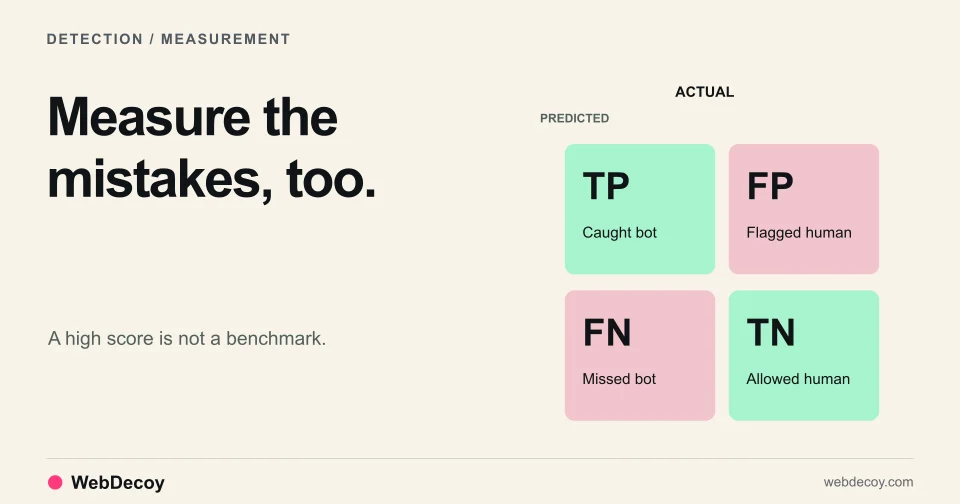
Benchmark bot detection in shadow mode, measure precision and recall, protect shared-IP users, and roll out enforcement without losing customers.
bot-detection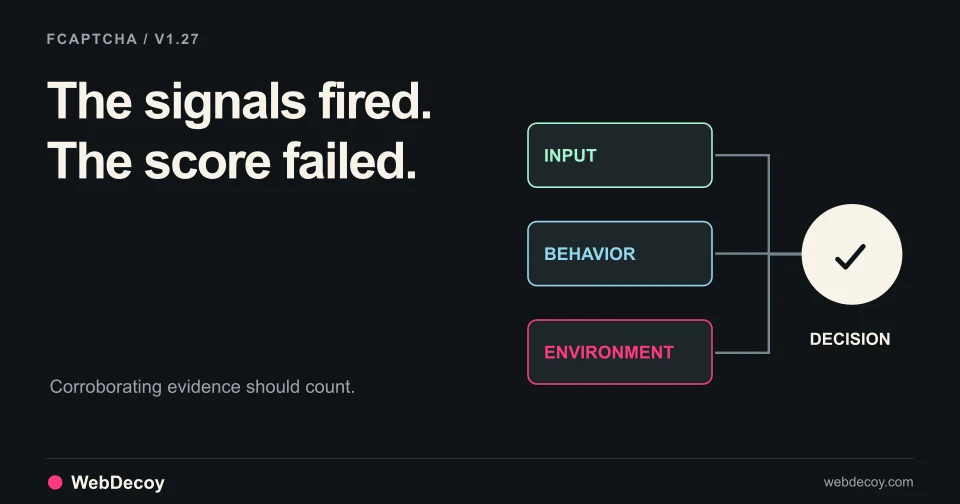
Two FCaptcha releases found the same flaw: correct detections thrown away by a weighted sum. How preconditions and a corroboration floor fixed it.
bot-detectionLike this post? Share it with your friends!
Get a personalized demo from our team.