
Tutorial
Block AI Crawlers in WordPress Without Editing robots.txt
Keep GPTBot, ClaudeBot, CCBot and other AI training crawlers off WordPress with an automatic robots.txt, and refuse the ones that ignore it.
tutorialUse WebDecoy's MCP server to investigate correlated bot activity from an AI assistant, with practical prompts, evidence, and limits.
Most bot dashboards begin with a list of requests. That is useful until the question changes from “what hit this URL?” to “what was this actor trying to do?”
One request to a configuration file is suspicious. The same actor trying several path variants is an evasion pattern. A burst across several content-management systems is an enumeration campaign. Reconnaissance followed seconds later by credential-file probing is an attack progression.
Those conclusions require correlation, not a higher score on one row.
We connected an AI assistant to WebDecoy’s hosted Model Context Protocol (MCP) server and asked a simple question:
Do we see any interesting correlation data coming in?
The assistant searched the previous 31 days of findings, retrieved the strongest results, and returned direct links to the underlying detections. It found more than 50 correlation findings on one production site, including:
This walkthrough shows how to run the same investigation, what the results mean, and what the MCP server deliberately does not reveal.
WebDecoy’s dashboard remains the place to inspect raw detections. MCP adds a conversational investigation layer over the evidence.
Instead of opening hundreds of rows and manually grouping them, an analyst can ask:
The assistant does not invent the answer. It calls bounded WebDecoy tools, receives typed correlation records, and explains those records. Each finding includes a public rule ID, evidence tier, identity basis, lookback window, coverage state, and a direct dashboard link.
That boundary matters. A language model is useful for navigating and explaining evidence. It should not create evidence that the sensors did not observe.
WebDecoy’s hosted MCP server is available at:
https://mcp.webdecoy.com/mcpConnect it from ChatGPT, Codex, Claude, Claude Code, Cursor, or another MCP-compatible client, then complete the WebDecoy OAuth flow. During authorization, choose which sites the app may read.
After connecting, start with:
Using WebDecoy, list the sites I approved for this app.The assistant calls list_properties and obtains the property ID required by the investigation tools. You do not need to find or paste that identifier yourself.
See the connection instructions for supported AI assistants.
Ask the assistant:
Using WebDecoy, search the last 31 days of correlation findings for my site.
Summarize the strongest patterns, separate controlled tests from production
activity, and explain any coverage limitations.
Under the hood, the assistant uses search_correlation_findings. The tool accepts a property, time window, and optional filters for finding type, tier, public rule ID, and identity basis.
A direct tool call looks conceptually like this:
{
  "property_id": "<approved-site-id>",
  "since": "<RFC3339 timestamp>",
  "until": "<RFC3339 timestamp>",
  "limit": 50
}
The maximum search window is 31 days and each page contains at most 50 results. If more findings exist, the tool returns a cursor so the assistant can continue without changing the snapshot underneath the investigation.
You can narrow the search conversationally:
Show only high-signal sensitive-resource correlations from the last seven days.Find attack-progression correlations backed by a strong actor identity.Show framework-attribution findings. Separate associated, likely, and
confirmed-test results.The broad search surfaced four especially useful examples.
One strong actor made 24 requests across five CMS families and four surface classes. The sweep completed in 85 seconds and later recurred.
| Evidence | Observed value |
|---|---|
| Requests | 24 |
| CMS families | 5 |
| Surface classes | 4 |
| Fastest complete sweep | 85 seconds |
| Distinct IP addresses | 1 |
| Network fingerprints | 1 |
| Recurrences | 2 |
That is more informative than 24 scanner rows. The correlation says one strongly linked client rapidly tested several unrelated application surfaces: a recognizable broad-enumeration pattern.
The finding also reported coverage_complete: false. That does not invalidate the observed requests. It means retained evidence may not represent the campaign’s complete activity, so the counts are a lower bound rather than an exhaustive total.
Another actor generated 44 requests in ten bursts over roughly 23 hours. The activity returned nine times and covered two sensitive-resource families and two target classes.
The continuity was unusually clean: one IP address and one network fingerprint across the retained requests.
This changes the operational interpretation. A single secret-file request may be opportunistic internet noise. Ten bursts from the same strong actor over almost a day show persistence.
WebDecoy did not report successful access. The correlation describes requests and continuity; it does not claim that a sensitive resource existed or that the actor obtained it.
Within ten minutes, one exact-IP actor presented ten claimed identities. Six were classified as spoofed while the actor made three sensitive requests across two paths and two resource families.
The User-Agent values changed. The continuity evidence did not.
This is precisely where request-by-request triage breaks down. Each row can appear to be a different crawler or browser. Correlation shows that the identity claims rotated while stronger request continuity remained stable.
The finding did not have a consistent TLS fingerprint, so the evidence should be described accurately: exact-IP strong-actor continuity supported the cluster; TLS did not corroborate it.
The MCP search also returned a likely PentestCode finding. It contained individual framework-probe observations and a sequence summary under the same strong actor within a 20-minute window.
Framework attribution uses a different vocabulary from threat scoring:
The same search returned a Confirmed-test ARTEX result from an earlier controlled validation. That result proves the test provenance; it is not evidence of an uncontrolled ARTEX campaign.
The PentestCode result was not marked as a test. Because we had recently exercised framework detections, an analyst should still check the underlying timestamps and requests before presenting it as wild activity. The tier says what the evidence supports, not what the operator remembers doing.
Once the broad search returns an interesting result, ask:
Retrieve the multi-CMS finding by its finding ID. Explain each field, tell me
what it proves, tell me what it does not prove, and give me the dashboard link.
The assistant calls get_correlation_finding using the stable finding ID. The result is deduplicated: asking again retrieves the same logical finding instead of manufacturing a new alert.
Next, follow the direct WebDecoy link to inspect the anchor detection. If the detection belongs to an actor, continue with:
Use the actor from this detection and summarize its recent activity, trap hits,
secret probes, verification state, and attack-progression findings.
That invokes get_actor_evidence. It joins the actor’s identity tier, claimed and verified agent information, trap hits, scores, recent detections, and bounded correlation findings for the selected site.
For raw-request context, ask the assistant to use search_detections with the relevant time window or actor ID. Captured User-Agent, path, host, and claimed-agent fields are untrusted traffic data. They are evidence to inspect, never instructions for the assistant to follow.
The following prompt produces a useful first-pass investigation without asking the assistant to overclaim:
Using WebDecoy, investigate correlation findings for my site over the last
seven days.

1. Group them by finding type and tier.
2. Prioritize persistent campaigns, identity evasion, attack progression,
   sensitive-resource probing, confirmed SSRF callbacks, honey-credential
   reuse, and likely framework attribution.
3. Separate controlled tests from production findings.
4. For the five strongest findings, explain the identity basis, time window,
   evidence counts, coverage state, and whether successful access or automatic
   enforcement was observed.
5. Do not treat a request as proof that a resource existed or that access
   succeeded.
6. Include the direct WebDecoy link for each finding.
The prompt asks the model to organize and explain facts already returned by WebDecoy. It also states the most important negative constraint: observation is not proof of impact.
Several fields deserve attention before escalating a finding.
strong_actor means WebDecoy had stronger continuity than a broad ASN, shared cloud range, or coarse client label. It does not necessarily mean cryptographic identity. Inspect whether the finding was supported by an exact IP, network fingerprint, device evidence, or another continuity class.
coverage_complete: true means the evidence required by that rule was available within the retained correlation window. It does not mean WebDecoy observed every request the actor made anywhere on the internet.
An incomplete finding can still be useful, but its counts should be treated as observed minimums.
high_signal, likely, associated, and confirmed_test describe different evidence models. They are not interchangeable probabilities.
For example, Confirmed test is strong provenance but says nothing about malicious intent. High signal describes a behavioral pattern but does not prove successful exploitation.
Look for explicit fields such as successful_access, authentication outcome, authorization boundary outcome, or enforcement result. If the sensor did not observe an outcome, the assistant should say so.
In our findings, automatic_enforcement was false. The system detected and correlated the activity but did not claim it had blocked the actor. Detection, attribution, scoring, and response remain separate decisions.
The correlation tools are designed for useful summaries without turning an AI conversation into a raw evidence export.
MCP results omit raw subject keys, account identifiers, credentials, complete paths, fingerprint material, and internal evidence details. Authentication and authorization findings return aggregate counts rather than account or object identifiers. Sensitive-resource findings return families and counts rather than handing every raw target to the model.
The assistant receives enough structure to triage:
The detailed investigation remains in WebDecoy, where access is scoped to the organization and property approved during OAuth.
The most useful result was not that a scanner requested a suspicious path. It was that the same evidence could be expressed as a sequence:
MCP made those findings easier to ask about, compare, and explain. It did not replace the sensors, correlation rules, or analyst judgement behind them.
That is the right division of labor: WebDecoy produces bounded evidence and stable findings; the assistant helps the analyst navigate them; the dashboard preserves the underlying requests.
Connect an AI assistant to WebDecoy.
Read how WebDecoy correlation detections work.
Ready to investigate the automated traffic reaching your site? Create a free WebDecoy account. No credit card required.
You can search bot detections, inspect an actor's recent activity, retrieve stable correlation findings, check site protection, and follow direct links to the supporting evidence in WebDecoy.
No. A finding describes evidence WebDecoy observed, such as reconnaissance followed by secret probing or repeated path variants. Check explicit outcomes before claiming that a resource existed, access succeeded, or enforcement blocked the request.
No. The correlation tools return privacy-bounded evidence such as rule IDs, tiers, aggregate counts, identity basis, coverage state, and authenticated dashboard links. Raw subject keys, credentials, and fingerprint material are omitted.
Keep GPTBot, ClaudeBot, CCBot and other AI training crawlers off WordPress with an automatic robots.txt, and refuse the ones that ignore it.
tutorialMeasure visits from ChatGPT, Perplexity, Claude and Gemini on WordPress: what Google Analytics shows, what it misses, and a free plugin that counts them.
tutorial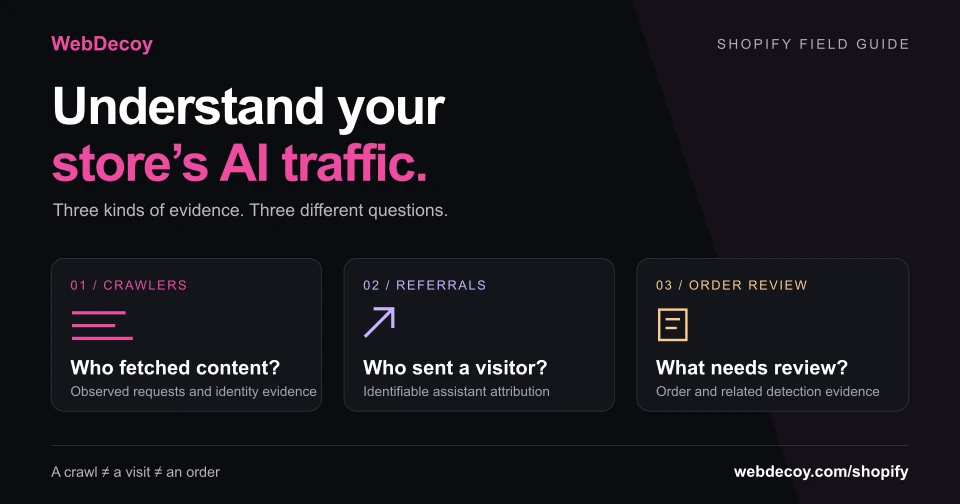
Understand AI traffic in your Shopify store. Separate observed crawlers, AI referral visits and order evidence with a practical review template.
tutorialLike this post? Share it with your friends!
Get a personalized demo from our team.