
Shopify AI Traffic: Crawlers, Referrals and Orders
Understand AI traffic in your Shopify store. Separate observed crawlers, AI referral visits and order evidence with a practical review template.
Published · Updated
To understand AI traffic in your Shopify store, keep three records separate: crawler requests, referred visits and orders. Each answers a different question. A crawler fetching a product page does not establish that an assistant recommended it, a shopper visited, or an order followed.
WebDecoy helps you inspect the activity its Shopify integration observes. This guide shows how to review that evidence alongside Shopify’s own reports. We build WebDecoy; the workflow below is a review method, not a customer-results case study.
Check collection before interpreting the charts
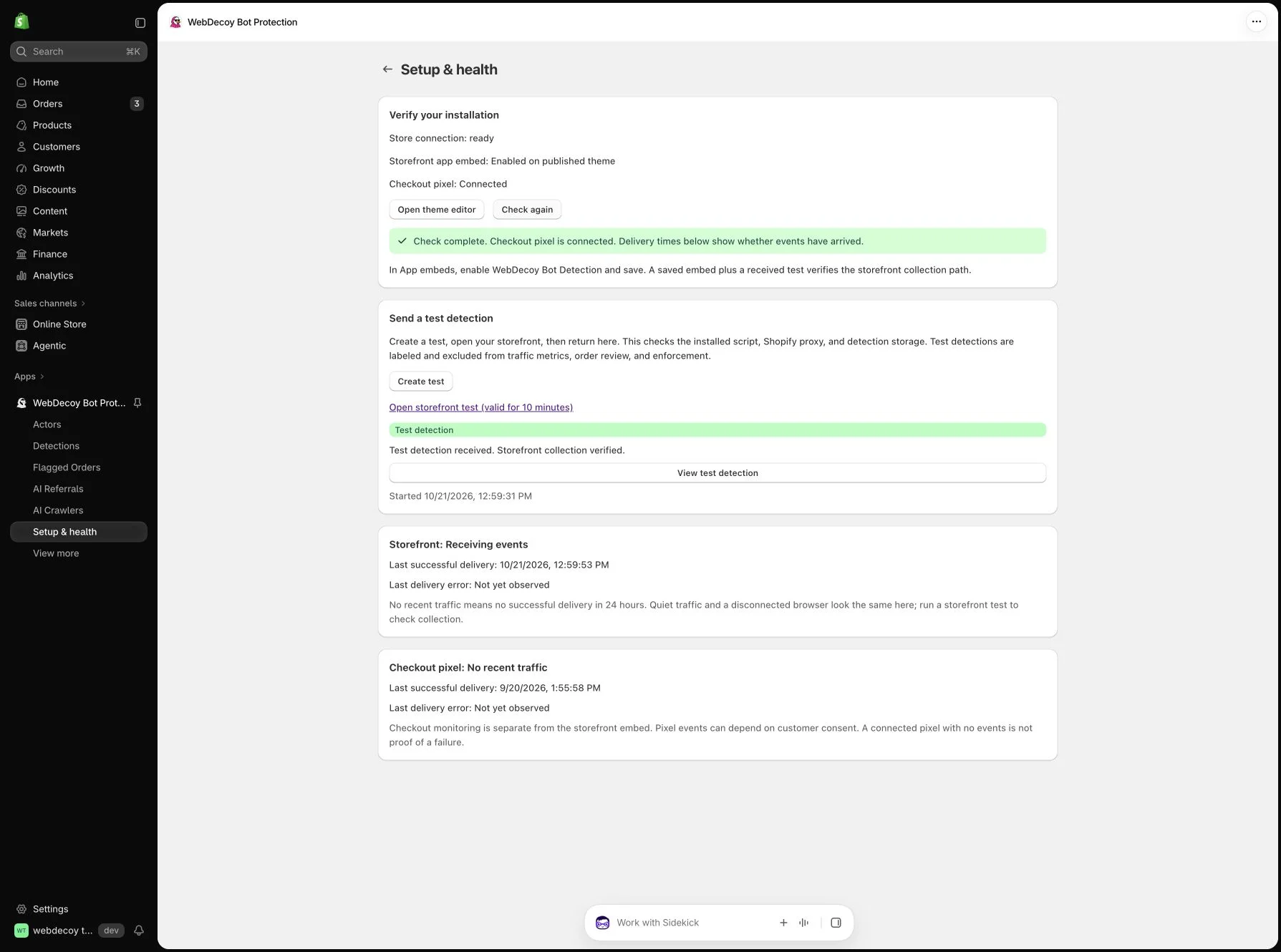
The installation check gives you a starting point for investigating an empty view. It does not establish that a real crawler was detected or that an order was stopped.
Start with the question you need to answer
| Merchant question | Evidence to inspect | Keep separate |
|---|---|---|
| Who is fetching my catalog? | Observed crawler requests, claimed identity, available verification and requested paths | A crawl is not a referred visitor. |
| Which AI assistants send visitors? | Identifiable referral visits, platform and landing page where available | A referred visit is not a completed purchase. |
| Does an order need review? | Order record and available correlated session and detection evidence | An AI referrer or unfamiliar network is not proof of fraud. |
Choose a completed reporting window and note its timezone. If you change a filter, campaign or collection setting, record that change before comparing periods.
1. Read Shopify’s acquisition and channel reports first
Shopify’s acquisition reports describe online-store visits. Open the relevant referrer report and inspect the available referring-channel, referrer and UTM dimensions. These reports do not themselves report converted sales. Use the appropriate sales report for that question.
If your store uses agentic storefronts, review the relevant channel’s performance in Sales channels → Agentic. Shopify documents channel-level performance and checkout behavior. Its channel sales can include referral-based sales and purchases completed through direct checkout. Preserve that scope when comparing with visits to your online store.
Save the Human or bot session filter where supported. Shopify’s bot-filtering documentation explains how that setting changes the activity included in reports. Changing the filter changes the report; it does not demonstrate that requests stopped reaching your store.
2. Inspect observed AI crawlers in WebDecoy
Open WebDecoy’s AI Crawlers report to review the crawler activity that reached the integration’s collection surfaces. Look at the available training/search grouping and investigation context rather than treating every named bot as the same kind of visitor.
A crawler’s name is a claim. Inspect available identity evidence before deciding whether to trust it. Likewise, an unfamiliar or unverified client is not automatically malicious.
Coverage matters here. A client can fetch a public product page without executing the storefront embed. That request may be outside this app’s observations unless it reaches another supported collection surface, such as a decoy. The report is an account of observed activity, not a complete count of every request Shopify served.
3. Review AI referrals as their own acquisition signal
Open AI Referrals for visits carrying identifiable attribution from assistants such as ChatGPT, Claude or Perplexity. Use the available platform breakdown and referral records to investigate where visitors came from.
Keep missing attribution unresolved. Some browsers or apps strip referrer information; visitors can also return later through another channel. Do not assign every direct visit to an AI assistant or assume a crawler caused a particular referral.
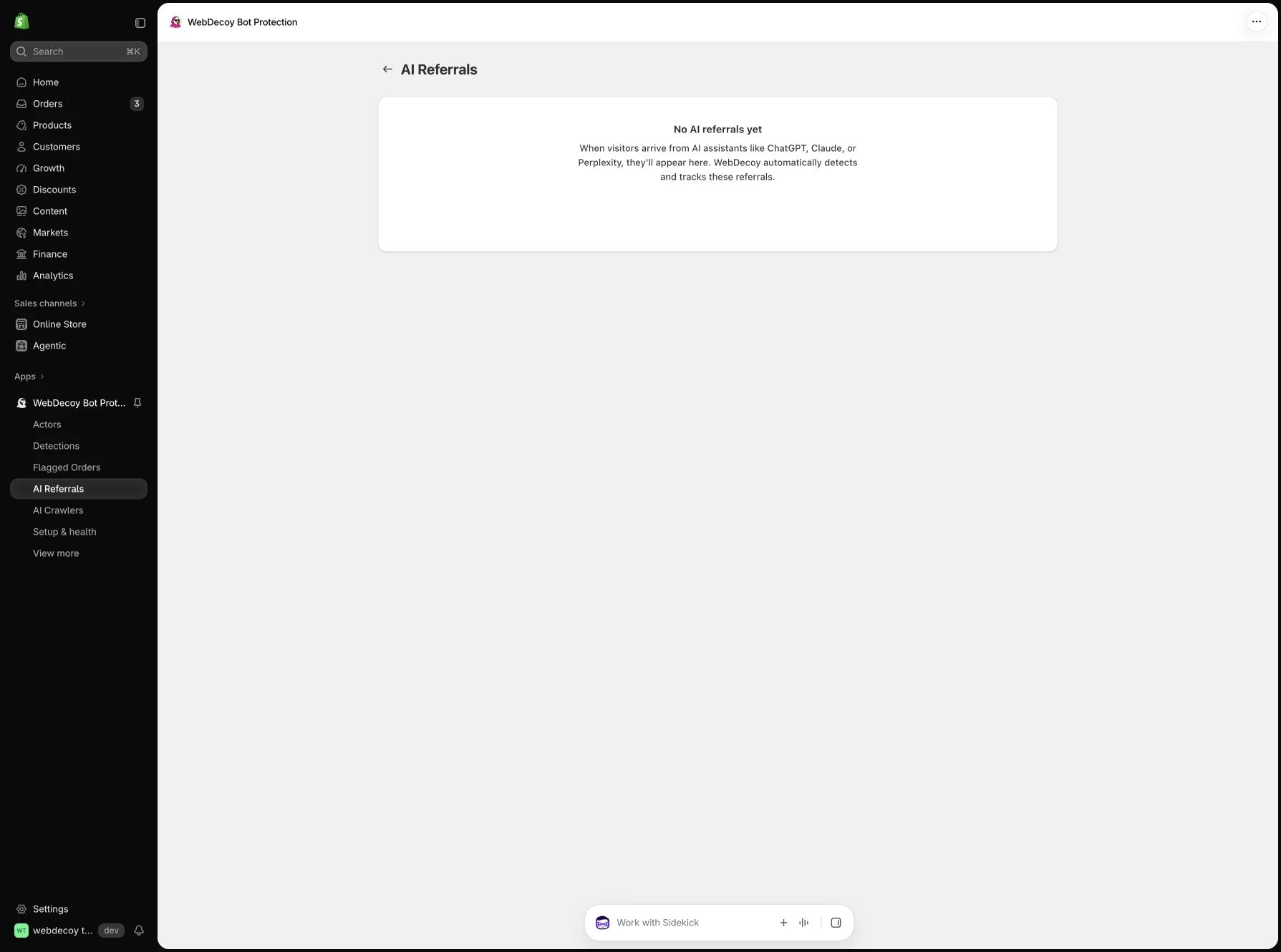
An empty view leaves several possibilities: no attributable visits in the window, insufficient collection, or visits without observable attribution. Check setup health before interpreting it.
4. Add order evidence when a specific order needs review
For a suspicious order, inspect the order itself and any related session and detection evidence WebDecoy can correlate. Review supporting signals and staff notes. An AI referral alone is not a fraud signal.
Order tagging, risk assessments and Shopify Flow features depend on plan and configuration. The order-created handler does not independently stop checkout or cancel orders. A cancellation action requires a separate Flow workflow you configure and enable.
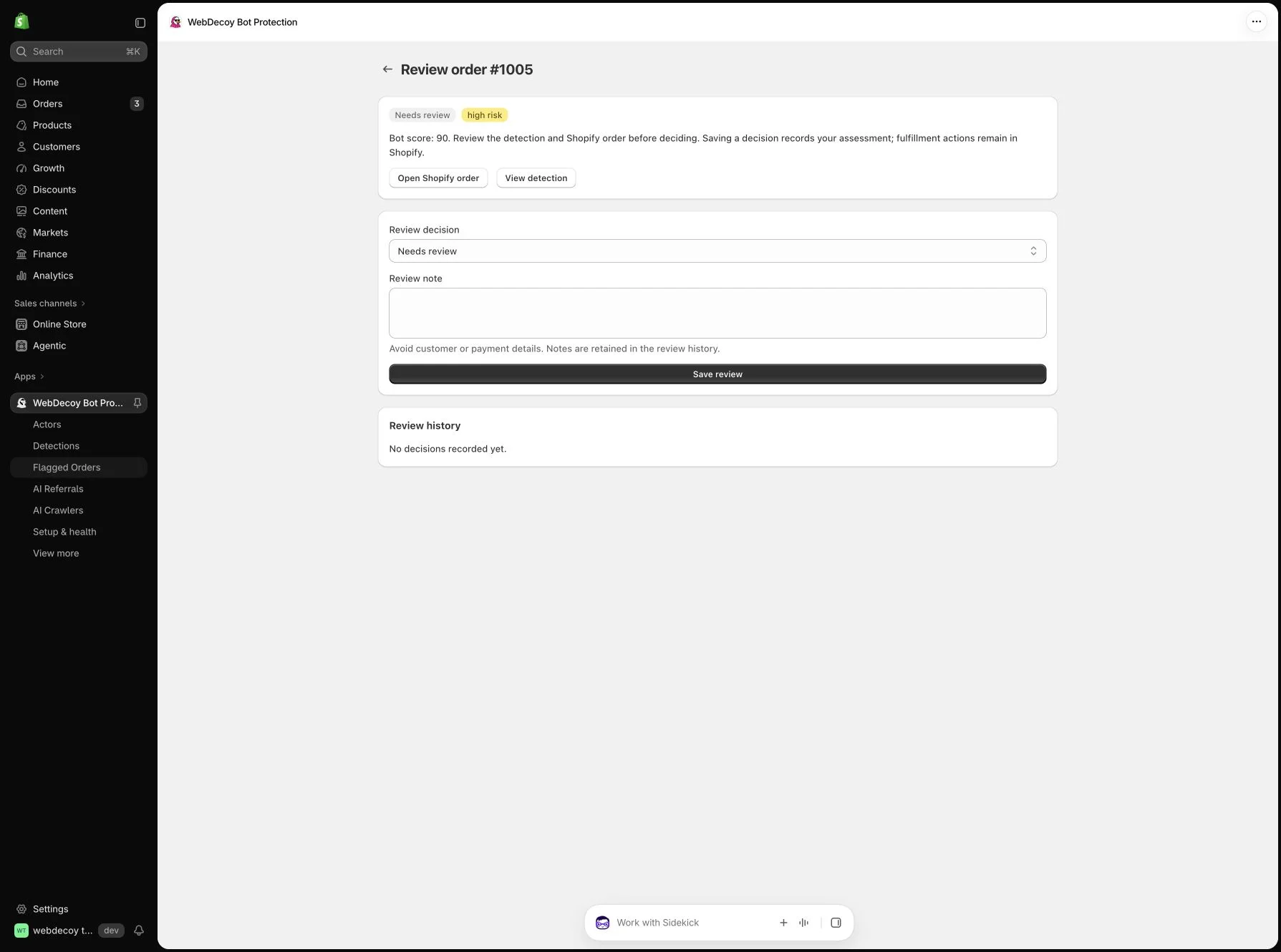
This keeps useful product discovery, suspicious catalog activity and fulfillment decisions connected where evidence permits, while preserving the different questions each record answers.
Keep a short weekly review
Download the blank review template. For each completed window, record:
- The report, date range, timezone and active filters.
- Observed crawler activity and its collection source.
- Identifiable AI referral visits and the available platform or landing-page detail.
- Order evidence that actually supports a review decision.
- One action to take, its owner, and what outcome you will check next.
Keep customer information in your restricted store systems. The template needs report totals and notes, not customer addresses or payment details. It is a blank working record; it contains no example traffic or invented conversion results.
See the workflow in your store
Install WebDecoy from the Shopify App Store, enable and save the storefront app embed, then confirm a labeled test in Setup & health. Check checkout-pixel delivery separately.
Watch the setup walkthrough to see collection verification and the order-review workflow in a development store. It uses a labeled setup test and seeded order examples, not live customer fraud results.
Explore the Shopify app’s capabilities and plans. A Free plan is available. Start by seeing what your store reports, then choose the investigation or response that fits the evidence.
Frequently Asked Questions
Is AI crawler traffic the same as a visit from ChatGPT? +
No. A crawler requests content. An AI referral is a visit carrying identifiable attribution from an assistant. Neither alone establishes an order or proves that your products were cited.
Can WebDecoy see every AI request to my Shopify store? +
No. Coverage depends on the collection path. A browser embed cannot observe a client that never runs it or touches another supported collection surface. Missing referrer information also limits AI referral attribution.
Does WebDecoy replace Shopify Analytics? +
No. Use Shopify reports for their documented acquisition and sales metrics. WebDecoy adds available bot signals, observed crawler activity, identifiable AI referrals and correlated order evidence inside Shopify admin.
Continue your investigation
- Understand the three AI traffic records
Choose between crawler identity, referral measurement and session or order investigation.
- Investigate suspicious Shopify traffic
Follow the worksheet before choosing an enforcement or staff-review action.
- Set up WebDecoy on Shopify
See app capabilities, plans and the installation path for your store.
Share this post
Like this post? Share it with your friends!
Want to see WebDecoy in action?
Get a personalized demo from our team.