
Bot Detection
Detecting Browser Automation by Input Shape
We tested Browser Harness against FCaptcha with paired controls, independent replication, accessibility workflows, and three-runtime replay.
bot-detectionLook up a bot User-Agent in your browser, see why it fetches pages, and find verification evidence in WebDecoy’s open registry of 403 agents and tools.
Your access logs show GPTBot, OAI-SearchBot, and ChatGPT-User requesting the same page. All three names point to OpenAI. The first collects content that may be used for training, the second supports ChatGPT search, and the third can fetch a page in response to a person’s request. If you’re deciding how to handle those requests, the bot name is where the investigation starts. OpenAI crawler documentation
We published Open Bot Ontology, an open registry that describes web crawlers, AI agents, and HTTP tools using the same fields. We also built a free Bot User-Agent Lookup so you can use the registry directly from your browser. Explore the GitHub repository · Try the lookup
Paste the User-Agent header from an access log into the lookup, or select one of the three built-in examples. The tool compares the string with the patterns in the v0.1.1 registry. When it finds a match, it shows the claimed identity, operator, purpose, what normally triggers a request, and any verification evidence recorded for that agent. The lookup runs locally in your browser and keeps the pasted string there.
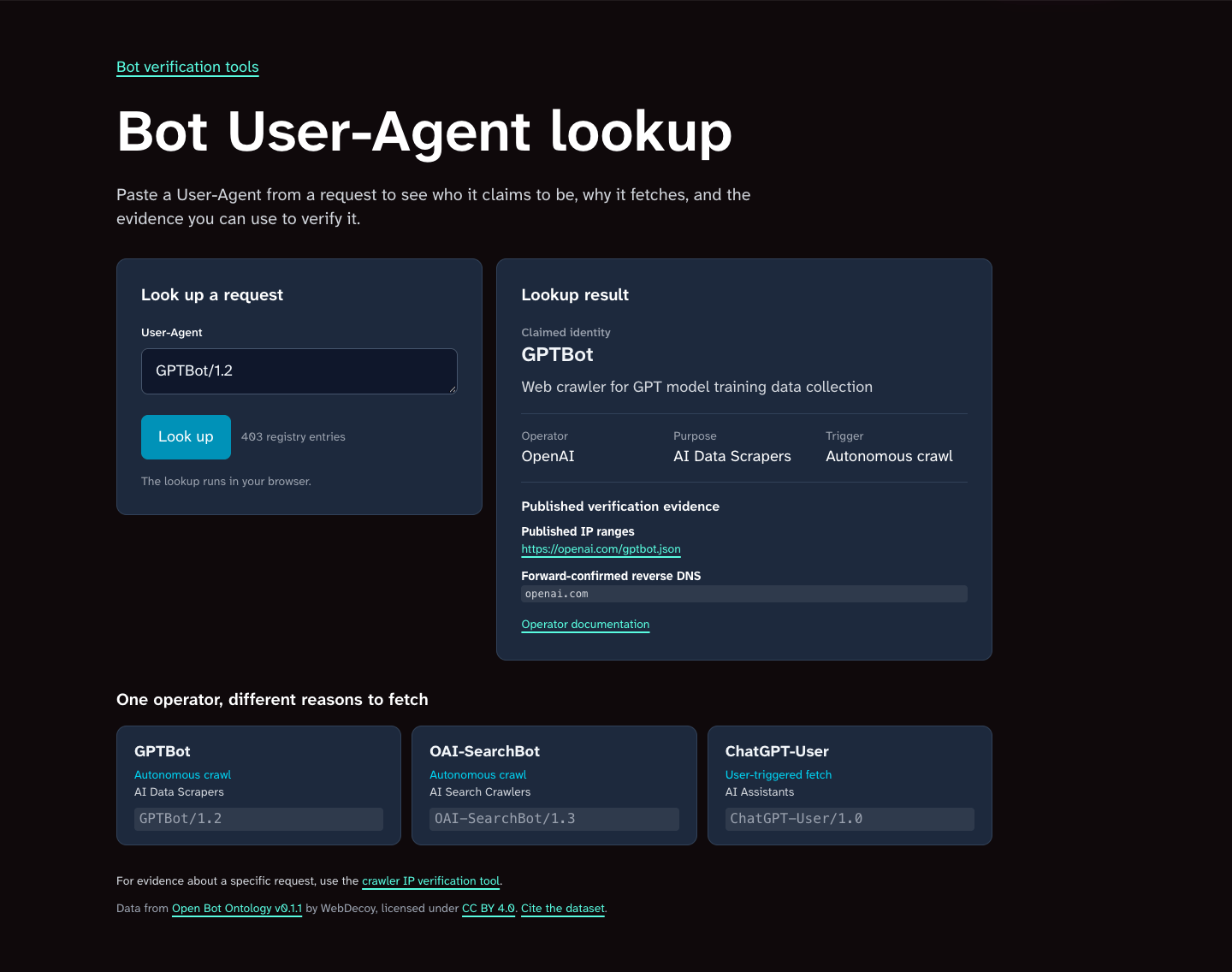
| Try this example | What the registry describes | What triggers the fetch |
|---|---|---|
GPTBot/1.2 | Collection of web content that may be used for model training | Autonomous crawl |
OAI-SearchBot/1.3 | Crawling for ChatGPT search | Autonomous crawl |
ChatGPT-User/1.0 | A page fetch associated with a user action in ChatGPT | User-triggered fetch |
Each example links to the corresponding published IP ranges. If you have the source IP from the same request, compare it with the list for the claimed agent. A User-Agent is text supplied by the client, so the name alone is a weak basis for granting an allowlist exception. Check a crawler IP
Version 0.1.1 contains 403 records spanning crawlers, AI agents, and HTTP tools. A record can describe the operator, the User-Agent patterns, and the reason the agent typically fetches a page. Where verification is documented, the record points to evidence such as published IP ranges, forward-confirmed reverse DNS, or a Web Bot Auth signature directory. Open Bot Ontology v0.1.1
The trigger field lets you group automated traffic by what causes it. A report can count autonomous crawls and user-triggered page fetches separately. The same model accounts for configured jobs, such as uptime checks, and tools whose behavior depends on how they’re run, such as curl.
Use the JSON registry to enrich access logs or build a reporting view. For knowledge graphs, the release provides the same OWL 2 DL graph in Turtle and RDF/XML. Each agent has a stable identifier and links to concepts such as its category, trigger, and published verification methods. The dataset is licensed under CC BY 4.0, and the code and schema use MIT. Download the release · Cite the archived dataset
If you find a bot that’s missing or a record that needs updating, include a sample User-Agent and a link to the operator’s documentation. Add the documented verification method when one is available. Contribute a record
We tested Browser Harness against FCaptcha with paired controls, independent replication, accessibility workflows, and three-runtime replay.
bot-detectionNine crawlers no bot list named yet, from an undocumented Alibaba bot to an anonymous crawler on 158 addresses in one day. What each sent and how to handle it.
bot-detection
We checked Muse's public signing-key directory. Learn what it establishes, how to investigate signed AI traffic, and where bot analytics still matter.
bot-detectionLike this post? Share it with your friends!
Get a personalized demo from our team.