
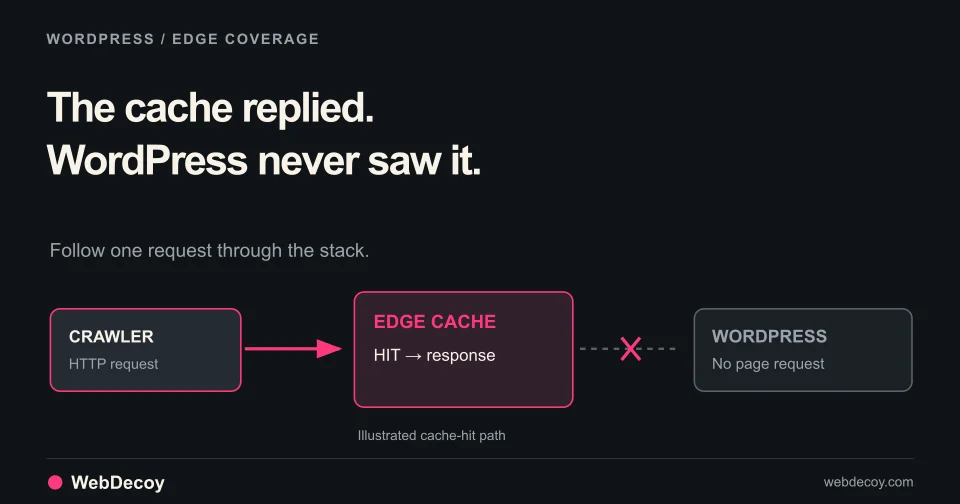
Why Cloudflare and WordPress Bot Logs Disagree
Check cache headers, origin requests and browser signals to explain missing bot logs. A practical coverage audit for WordPress behind Cloudflare.
tutorialInvestigate Shopify bot traffic, fake abandoned checkouts and suspicious orders. Use a practical worksheet, native reports and a verified WebDecoy setup.
Start with the action causing the problem. A spike in sessions, fake abandoned checkouts, repeated payment attempts and suspicious orders need different evidence. A country name or a low conversion rate alone is too weak a reason to refuse shoppers.
This checklist helps you collect enough context to choose a response and check whether it helped. Download the incident worksheet, or copy the template below. We build WebDecoy; the product walkthrough shows where our Shopify app fits.
Choose the row that matches the symptom you can actually observe.
| Symptom | Evidence to collect | Who can act on it |
|---|---|---|
| More sessions, few additional orders | Same report, time window, bot filter, landing pages and campaign changes | Your analytics or marketing owner |
| Unwanted customer records or abandoned checkouts | Creation times, repeated patterns, affected forms and recovery-email activity | Your store and email administrators |
| Repeated payment attempts or declines | Attempt timestamps, targeted products, provider outcomes and supported fraud controls | Your payment provider and Shopify Support |
| An order needs investigation | Order reference, available session evidence, detection details and review notes | The person deciding whether to fulfill it |
A report about one row does not establish what happened in another. Shopify’s bot-identification guidance notes that suspected card-testing attempts might not appear as abandoned checkouts. Look at the relevant payment records as well as the checkout list.
In a supported Shopify Analytics report, inspect the Human or bot session dimension or filter. Save its current setting with the date range and timezone. Compare the same report configuration across periods with similar campaigns.
Shopify filters identified bot sessions out of session-related reports by default, following its September 2026 measurement update. Including those sessions can change the counts you see. A lower count after a filter change is a reporting change; it does not demonstrate that requests stopped reaching your store.
Keep completed orders, payment attempts and bot classifications as separate observations. If a campaign, consent setting or theme changed at the same time, include that change in your investigation.
Use a small, representative sample from a defined window. Save identifiers in your own restricted support system rather than sharing customer details publicly.
Window and timezone:
Store symptom:
Affected product, form or route:
Report name and Human or bot filter:
Observed session / checkout / order references:
Payment-provider outcome, if relevant:
Detection evidence and collection source:
Recent campaign, theme, app or consent changes:
Response, owner and time applied:
Normal shopper flow to retest:
Result and remaining uncertainty:
Include enough information for the next person to find the same event. Keep raw card numbers, security codes, access tokens and customer addresses out of this worksheet.
For example, a burst of abandoned checkouts alongside an empty storefront detection feed leaves an open question: did those attempts traverse the storefront sensor? It does not establish that the feed missed an event it was designed to collect. Verify collection before interpreting the empty log.
Install WebDecoy from the Shopify App Store. Then:
If your store has a storefront password, unlock it in your own browser and reopen the test link. A script running on the storefront cannot collect from a page it never loads on.
Development-store walkthrough with a labeled setup test and seeded example orders. The app and embed were already installed. Synthetic narration. This demonstrates the workflow, not production detection accuracy or fraud prevented.
A received test verifies that tested storefront collection path. Check checkout-pixel delivery separately: its sandbox, consent state and browser conditions affect what it can send. See the full setup documentation for the installation steps.
WebDecoy brings observed browser signals, decoy interactions and IP context into Shopify admin. When a matching session and detection are available, your team can inspect related order evidence and record a review decision. An unfamiliar network or a VPN is context, not proof of fraud.
For correlated suspicious orders, review the signal details and available session history before deciding what to fulfill. Order tagging, risk assessments and Shopify Flow capabilities depend on plan and configuration. The order-created handler does not independently stop checkout or cancel an order. Cancellation requires a separate Flow workflow you configure and enable. Review the Shopify capabilities and plans.
For payment-attempt abuse, take your incident record to the payment provider and Shopify Support. Ask which controls apply to the affected payment path. A storefront monitoring result is not a payment-stage enforcement guarantee.
Shopify also provides built-in Cloudflare and hCaptcha protections. Its additional checkout bot protection during sales is a Shopify Plus feature. Confirm the controls available to your store before designing a response around them.
Record one change, its owner and its application time. Retest the affected flow as a normal shopper, then compare the relevant outcome using the same report settings: unwanted records, repeated attempts, review workload or completed legitimate orders.
Keep AI catalog crawling separate from visits referred by AI assistants. Crawling does not prove a citation or a customer visit; missing referrer information remains unattributed. Our AI shopping-agent guide explains the different activities.
Put the evidence in your Shopify admin: install WebDecoy, enable the embed and confirm a setup test. Start with what your store actually reports, then choose the response that fits the affected action.
Filtering bot sessions changes which activity a report includes. It does not by itself establish that a visitor was refused access. Record report settings separately from any enforcement rule.
No. Storefront scripts, checkout pixels and payment controls observe different paths. WebDecoy can help inspect observed activity and correlated order evidence; its order-created handler does not independently stop checkout or cancel orders.
Installation alone does not verify storefront delivery. Enable and save the theme app embed, create a labeled test in Setup & health, open its link and confirm receipt. If the store is password protected, unlock it in your own browser and reopen the test link.
Check cache headers, origin requests and browser signals to explain missing bot logs. A practical coverage audit for WordPress behind Cloudflare.
tutorial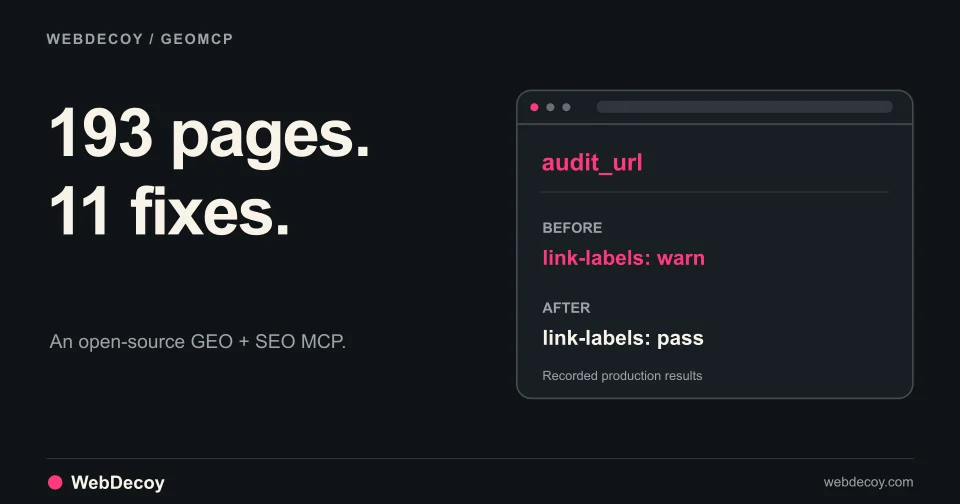
GEOMCP found 11 small issues across our site. Here are the real findings, the fixes, and how we verified them through an MCP client.
tutorial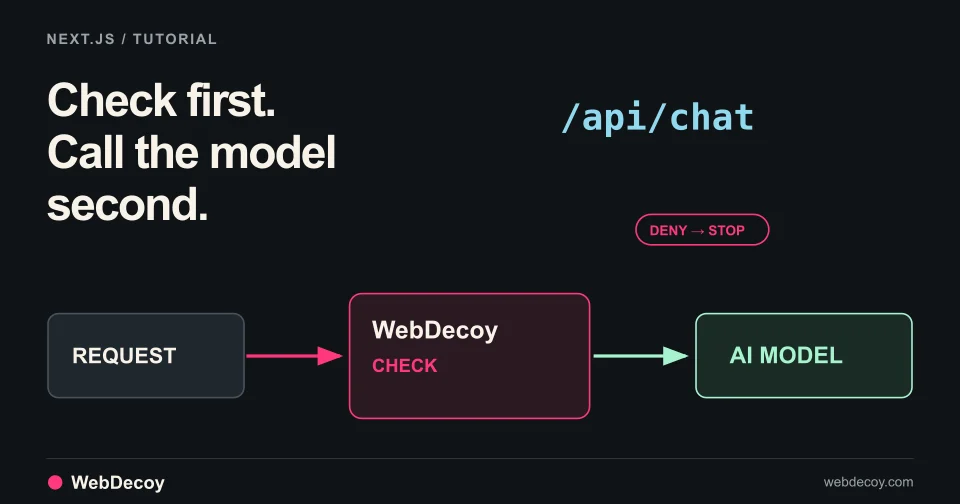
WebDecoy AI Protection is in public beta. Follow this tutorial to add a check in front of your Next.js chat route so denied requests never reach the model.
tutorialLike this post? Share it with your friends!
Get a personalized demo from our team.