
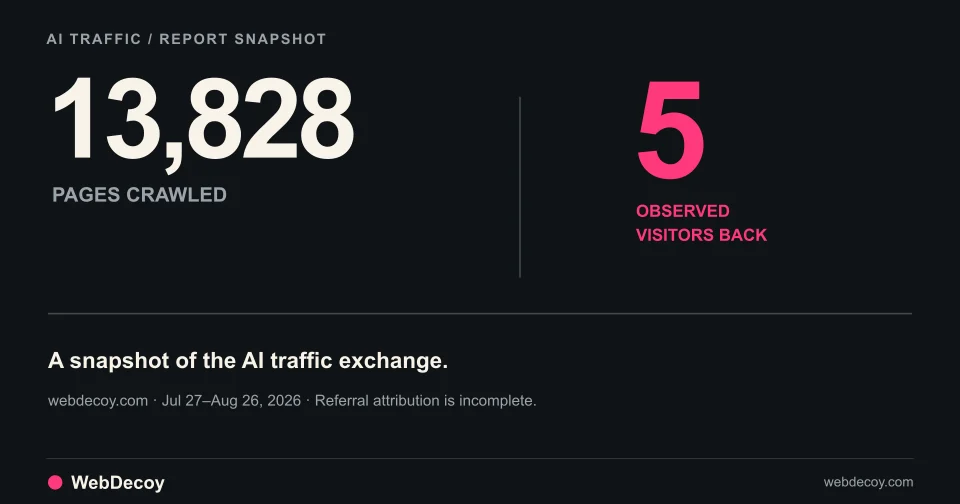
13,828 Pages Crawled, 5 Visitors Sent Back
AI Traffic is live in WebDecoy. See crawls and observed AI referrals for your property, then freeze the figures into a shareable report.
bot-detectionKeep Cloudflare. Add visibility into the bots reaching your site: decoy interactions, request evidence, AI crawlers and the referral visits they send back.
Cloudflare is enabled, but your site still receives automated visits. Some fetch articles. Some explore endpoints. Others arrive in a browser and interact with forms.
WebDecoy works alongside Cloudflare to help you investigate the bots that reach your site. Keep your existing protection. Add evidence about what arrived, which detection signals fired, what the visitor touched, and how AI crawler activity compares with the visitors AI platforms send back.
We build WebDecoy. This guide explains that combined workflow, using our own recorded traffic to demonstrate the analytics.
A protected site still needs to accept requests. Search crawlers, useful agents and customer integrations may be welcome. An unwanted client may also stay below a rate limit or avoid the particular rule configured for an endpoint.
Cloudflare’s own bot mitigation guide discusses malicious traffic getting through and combining signals when bots evade individual rules. Check the protection actually enabled on your zone and the action taken for the relevant request.
Cloudflare also has Bot Analytics. The available investigation features depend on the product and plan. Start with that existing evidence, then use WebDecoy to inspect additional observations from your site.
The question to answer is specific: what did this automated visitor do after it was allowed to reach this route?
A spike without sales does not establish an attack. A cloud IP does not establish malicious intent. A browser executing JavaScript does not establish a human operator.
Use evidence tied to an action:
| Question | Evidence to inspect in WebDecoy | What to check next |
|---|---|---|
| Did it follow a decoy? | Recorded decoy interaction and requested path | Confirm the decoy’s placement and rule out your own tests |
| What made the visit suspicious? | Available browser, request and network signals | Read the contributing evidence before acting on a score |
| What was it exploring? | Recorded paths and actor journey, where available | Identify whether it reached content, forms or sensitive routes |
| Which AI operators fetched content? | AI Traffic crawler and operator breakdowns | Inspect the requested pages and available identity evidence |
| Did AI platforms send people back? | Observed AI referrals and landing pages | Keep those visits separate from crawler fetches |
Coverage depends on your integration. A browser script sees activity when it executes. An application integration sees requests that reach that application. An edge sensor observes traffic on its configured routes. Requests stopped before a sensor runs will not appear in that sensor’s records.
Our cache-coverage guide explains why an edge request and a WordPress log can disagree. This article focuses on investigating the activity you do observe.
In a seven-day dashboard window captured on October 21, 2026, WebDecoy recorded the following activity for our own webdecoy.com property:
| Measurement | Recorded count |
|---|---|
| Page fetches attributed to AI-only crawlers | 4,547 |
| Additional page fetches from shared search-and-AI crawlers | 1,220 |
| Observed AI referral visits | 7 |
| Distinct referral landing pages | 5 |
These figures count activity in that recorded window, rather than unique pages or today’s traffic. The seven observed referrals came from ChatGPT (2), Gemini (2), Kagi (2) and Claude (1).
Watch the actual dashboard demonstration. For another window with a persistent, inspectable artifact, open our frozen public report and its methodology. That older report has different dates and totals.
This is the extra visibility we want site owners to have: which operators fetched content, which pages they requested, and which observable visits came back. Crawl counts alone cannot answer all three questions.
This example demonstrates reporting on one WebDecoy-owned site. It does not measure Cloudflare’s detection accuracy, prove these crawlers bypassed an enabled blocking rule, or classify every crawl as abuse. Missing referral information also means we cannot identify every AI-origin visit or infer that a page was cited.
Choose a public route you own and start with observation:
For a suspected bot that got through, match the hostname, UTC time, method and path against Cloudflare’s available records. Check the action and relevant policy there. A new WebDecoy event by itself cannot establish which Cloudflare decision preceded it.
WebDecoy adds a place to investigate detection signals, decoy interactions and AI traffic alongside the protection you already use. Start with a reporting installation, inspect your own activity, and use that evidence to decide what deserves a response.
Add WebDecoy to your Cloudflare setup or create your WebDecoy account.
Yes. Keep your Cloudflare protection and connect WebDecoy to add detection evidence and traffic investigation. The Cloudflare edge sensor observes selected requests on its configured routes; browser and application integrations add observations from those layers. Verify the installed coverage before interpreting results.
No. A detection records evidence available to WebDecoy. Establishing a missed malicious bot requires correlating the same request with Cloudflare's action and settings, checking the detection, and confirming unwanted behavior. An allowed crawler may be intentional.
A client that does not execute your analytics script cannot send its browser events. Edge or server observation can record supported request activity without that script. Scope, sampling, filtering and retention also change which events appear in each dashboard.
AI Traffic is live in WebDecoy. See crawls and observed AI referrals for your property, then freeze the figures into a shareable report.
bot-detection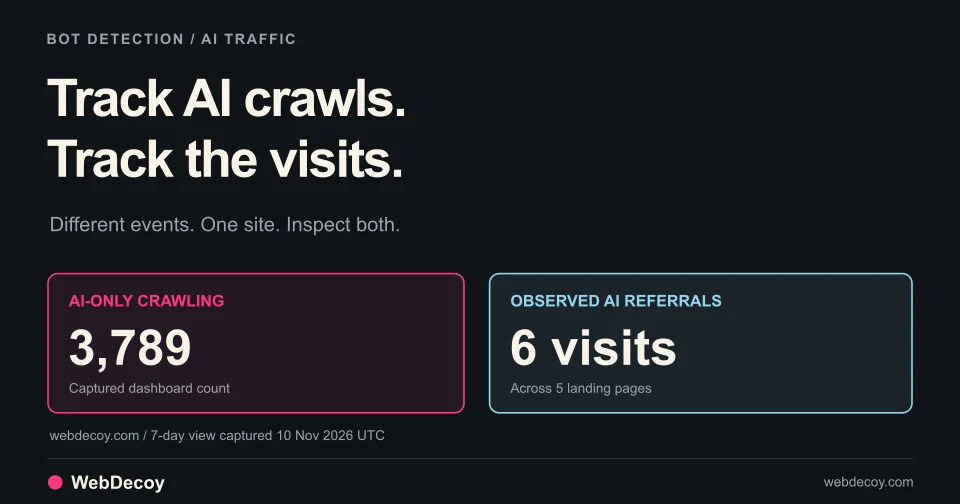
See which AI crawlers fetch your site and where observed AI referrals land. A real WebDecoy dashboard walkthrough, with setup steps and sensor coverage.
bot-detection
Cloud-hosted AI agents reach forms and signup flows in full browsers. What the latest traffic research means for bot detection on your site.
bot-detectionLike this post? Share it with your friends!
Get a personalized demo from our team.